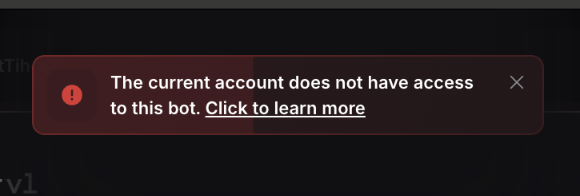
Seeing a “Subscription missing” error when trying to run a bot in TradeLocker?
This usually means the account you’re currently logged into does not have a subscription for the bot you’re trying to run.
Why this happens
Bot subscriptions are connected to a specific email address.
When a bot author gives you access, they grant it to one email. To run the bot, you need to log in with the TradeLocker account that uses that same email address.
For example, if your bot access was granted to [email protected], but you’re logged in with a different email, you will see the “Subscription missing” error.
How to fix it
Follow these steps:
- Check your email inbox
Look for the TradeLocker notification confirming that bot access was granted. - Confirm which email received the notification
This is the email your bot subscription is linked to. - Log out of your current TradeLocker account
- Log back in with the correct account
Use the broker or prop firm login connected to that same email address, including your email, password, and server. - Run the bot again
Once you’re logged in with the email that has access, the bot should run normally.
Still seeing the error?
If the error persists, check with the bot author first to confirm whether your subscription is active and which email has access. They may also be able to grant access to another email, but that decision is up to them.
You can also contact TradeLocker Support.
Coming soon
In the future, bot subscriptions will be connected to your TradeLocker Profile login.
That means all accounts under your Profile will be able to access all your subscriptions.