We compared the top demo trading platforms on features, realism, and ease of use so you can pick the best one to sharpen your skills before trading live.
Not all demo accounts are built the same. Some mirror live execution almost exactly. Others feel like a different product wearing the same logo — delayed data, a stripped-down interface, an experience that teaches you nothing about how the platform actually behaves under pressure.
That gap matters. If your practice environment doesn’t match the real thing, you’re not really practicing. You’re just clicking buttons in a sandbox.
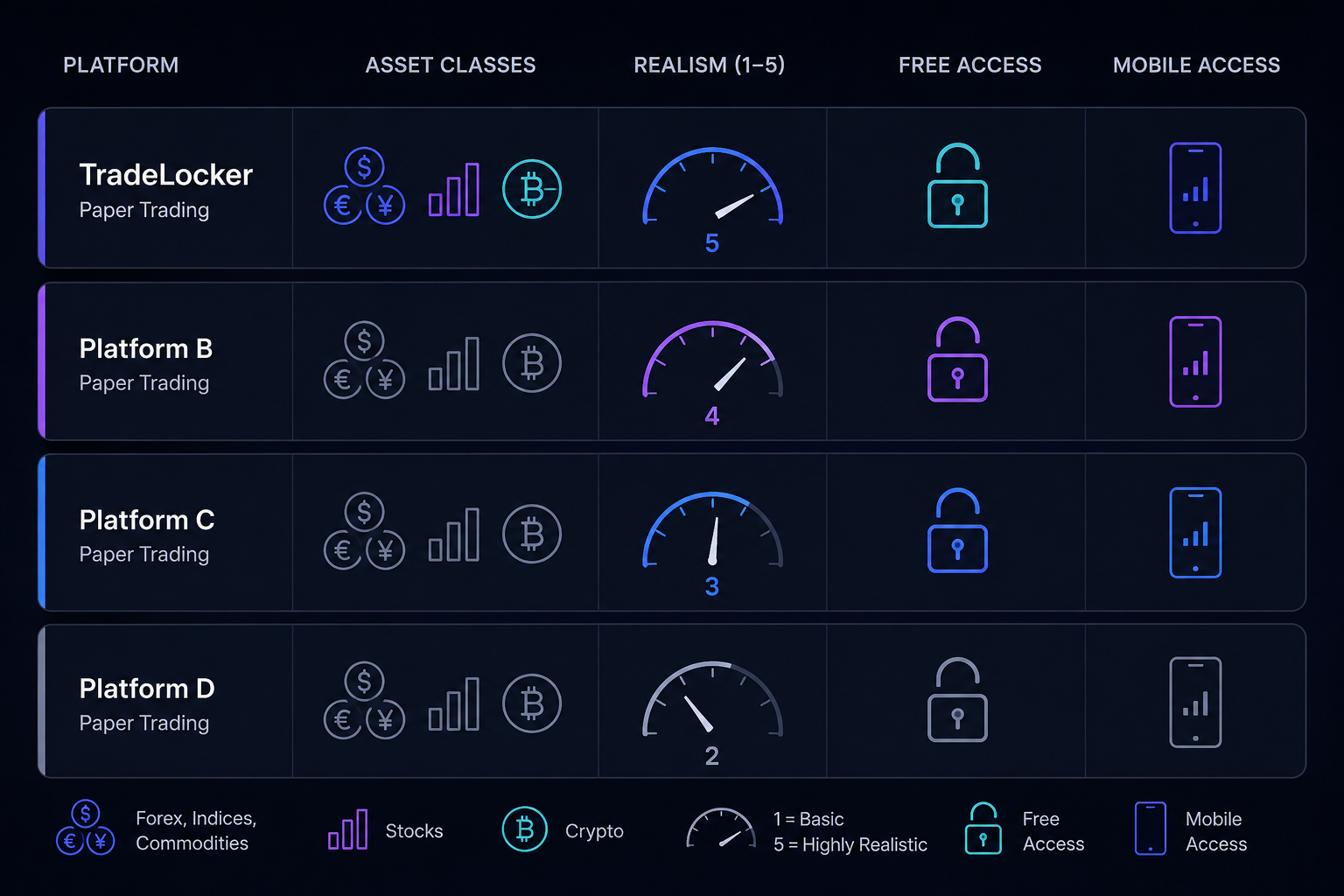
So we ran a proper paper trading platform comparison: seven platforms, judged on asset coverage, how closely execution mirrors live markets, whether access is actually free, and whether you can keep practicing from your phone when you’re away from a desk. If you want the deeper dive on realism specifically spread behavior, slippage, order types — we broke that down separately too.

Best demo trading platforms at a glance
Here’s the short version, for anyone who wants the answer before the explanation.
| Platform | Asset classes | Execution realism | Free access | Mobile app |
|---|---|---|---|---|
| TradeLocker | Forex, CFDs, indices, commodities | Same engine as live accounts | Yes, no account gate | Web, desktop, mobile |
| TradingView | Stocks, forex, crypto, futures (via broker) | Simulated matching, generally accurate | Yes, free tier | Yes |
| thinkorswim (paperMoney) | Stocks, options, futures | Very high, near-identical to live | Requires a Schwab account | Yes |
| Interactive Brokers | Stocks, options, futures, forex, bonds | High, real order book depth | Requires application, approval takes time | Yes |
| NinjaTrader | Futures, forex | High for futures specifically | Yes, free simulated mode | Limited |
| MetaTrader 5 (demo) | Forex, CFDs | Varies by broker feed | Yes, but broker-dependent | Yes |
| Webull | Stocks, options, crypto | Moderate, simplified fills | Yes, account signup required | Yes, mobile-first |
TradeLocker
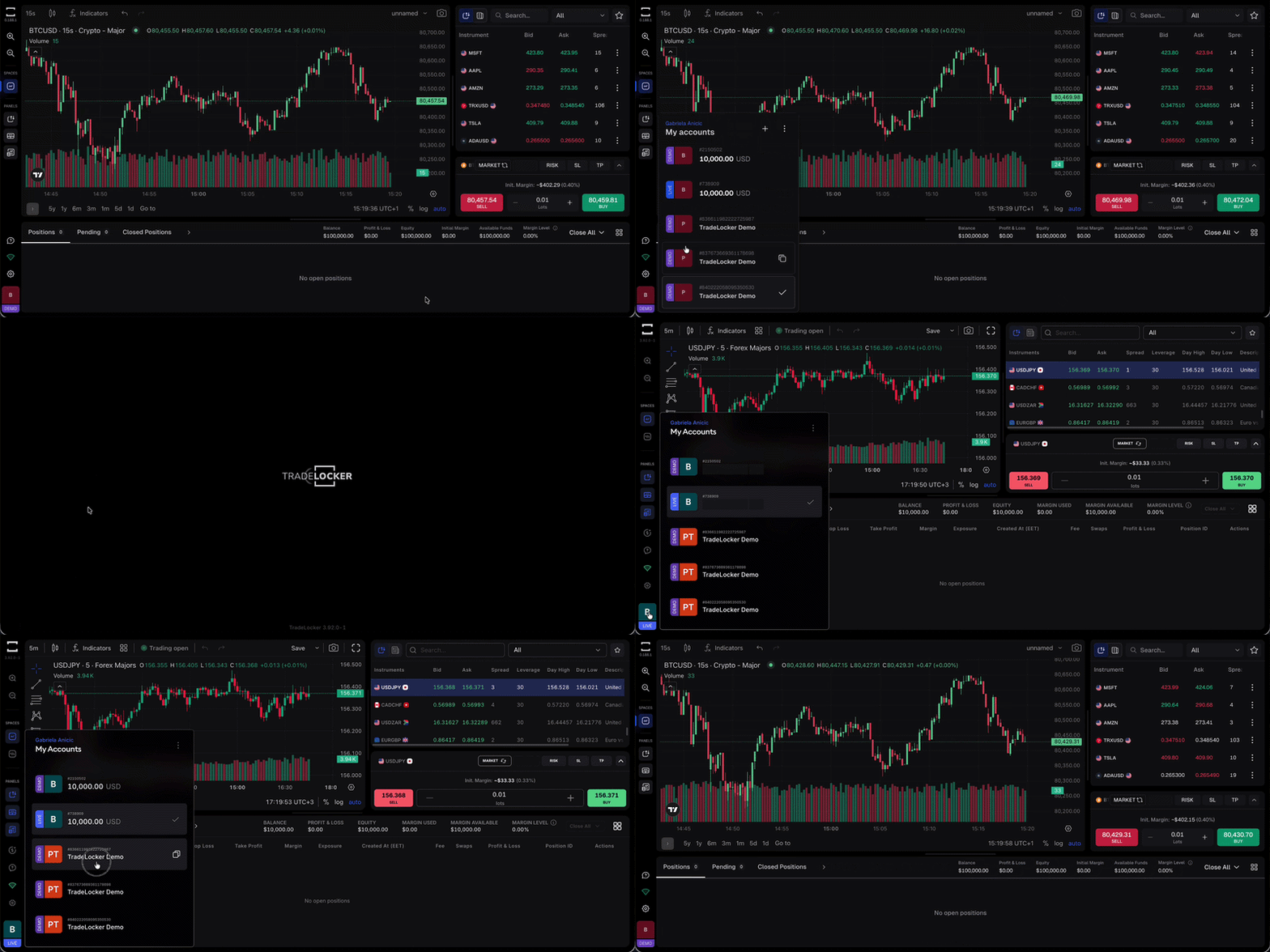
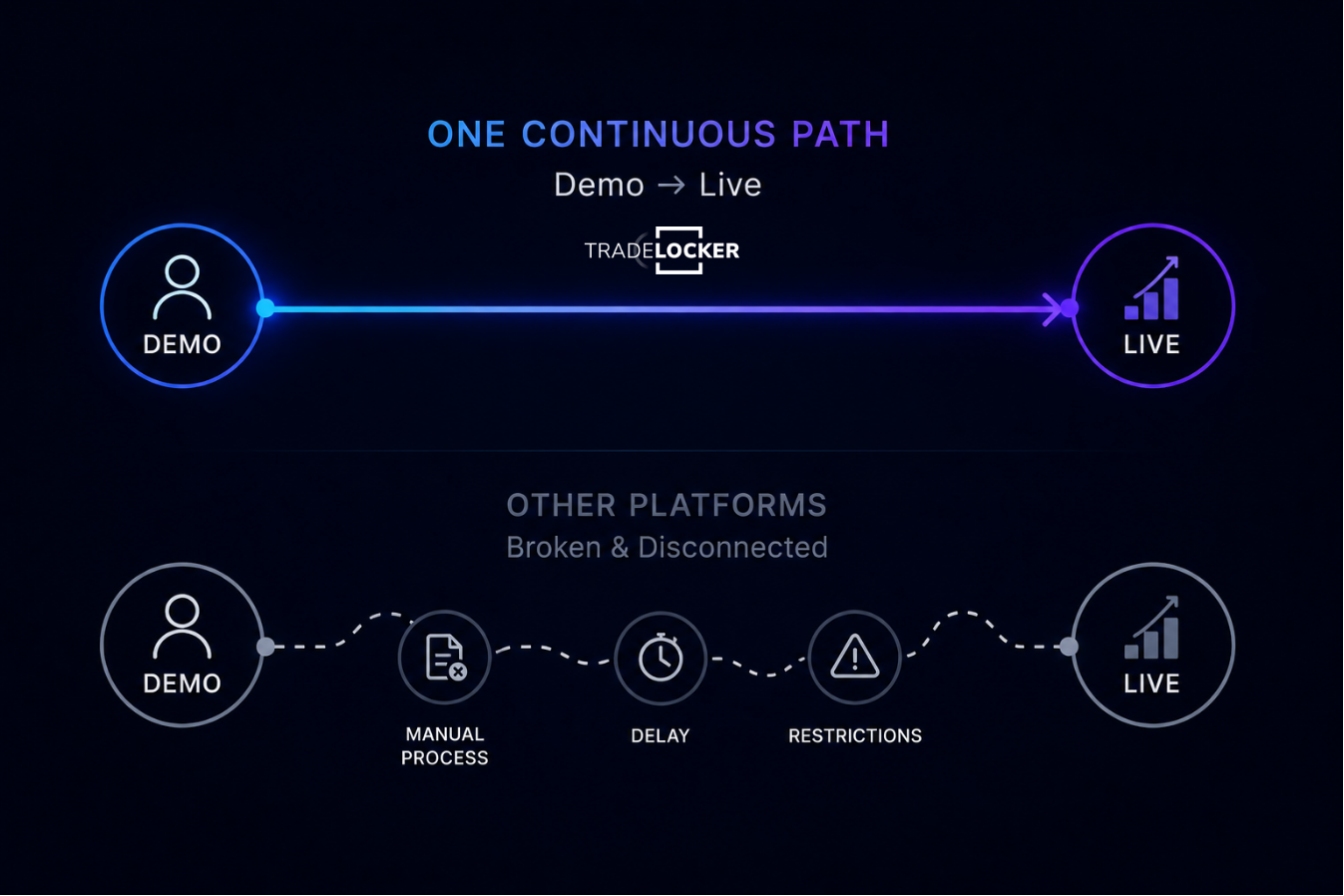
TradeLocker’s demo isn’t a separate, watered-down mode. It runs on the exact same platform as the live account: same charting, same order panel, same risk-reward tool, same data. The only thing that changes when you go live is that the balance stops being simulated.
That matters more than it sounds like it should. A lot of platforms build a “lite” demo and a “real” live app, so when you switch over, you’re relearning the interface at the exact moment you can least afford to fumble it. TradeLocker skips that problem entirely. What you practice is what you’ll trade. If you want the mechanical breakdown, here’s exactly how a demo and live account differ on TradeLocker.
Opening one takes under two minutes:
Step 1. Go to app.tradelocker.com
Step 2. Sign up with Google or Apple.
Step 3. Select Demo and start trading with $100,000 in virtual funds.
It’s also used by a number of prop firms as their execution platform, so practicing here doubles as prep if you’re planning to pass a prop firm challenge down the line.
Pros: no adjustment period between demo and live, full feature parity, works across web, desktop, and mobile, genuinely free with no account approval wait.
Cons: narrower asset range than a full-service broker — it’s built for forex and CFD traders, not someone who also wants to paper trade individual equities or bonds. You can check the full list of markets you can trade on TradeLocker here. If you’re weighing it against other platforms long term, we’ve also compared it directly to cTrader, MetaTrader, and Match-Trader.
TradingView
TradingView’s paper trading is popular mostly because so many traders already live in its charts. You can paper trade directly from the same interface you use for analysis, with simulated order execution that’s reasonably close to real fills.
The catch is that full paper trading functionality depends on which broker integration you connect, and the experience isn’t always consistent across them. If you’d rather not choose between the two, you can connect your TradingView charts directly to TradeLocker and trade from the interface you already know. It’s less convincing as a standalone practice platform for someone building order-execution habits from scratch.
thinkorswim (paperMoney)
paperMoney is one of the most respected demo environments out there, particularly for options and futures traders. The fills, the margin calculations, and the interface are about as close to live trading as a demo gets.
The tradeoff is access: you need a Schwab brokerage account to use it, which means an application process before you can even open the demo. If you’re willing to go through that, it’s excellent. If you just want to practice trading tonight, it’s not the fastest route.
Interactive Brokers
IBKR’s paper trading account gives you an enormous range of instruments — global stocks, options, futures, forex, bonds with a realistic order book. For someone who wants to practice across multiple asset classes in one place, it’s hard to beat on breadth.
It’s also the least beginner-friendly on this list. The interface has a steep learning curve, and getting approved for an account takes longer than platforms with instant demo access. Great tool, slower on-ramp.
NinjaTrader
NinjaTrader’s simulated trading mode is a favorite among futures traders specifically. Execution realism for futures contracts is strong, and the platform gives you deep charting and strategy-testing tools without needing a funded account first.
Where it falls short is mobile. NinjaTrader is built as a desktop-first platform, so if you’re hoping to keep practicing from your phone between sessions, this isn’t the one.
` 
MetaTrader 5 (demo)
MT5 demo accounts are everywhere because nearly every forex broker offers one. That ubiquity is the appeal, if you already know which broker you’ll trade live with, practicing on their MT5 demo means zero surprises later.
The tradeoff is consistency. Since the demo experience depends on the broker’s own data feed and server, quality varies a lot from one broker to the next. Some are excellent. Some lag noticeably behind real conditions.
Webull
Webull’s paper trading is mobile-first and easy to pick up, which makes it a reasonable starting point for someone dipping a toe into stocks, options, or crypto for the first time.
Execution is more simplified than platforms built around professional-grade fills, so it’s better suited to learning the basics than to fine-tuning entry and exit timing for an active strategy.
What makes a good paper trading platform?
Strip away the marketing and a good practice trading platform comes down to four things.
Execution has to match live conditions. If your demo fills instantly at the exact price you clicked while live trading involves slippage and spread, you’re training for a market that doesn’t exist. The best platforms use the same engine for demo and live, not a simplified stand-in.
Access shouldn’t be a hurdle. A platform that makes you apply, wait, and get approved before you can open a demo trading account is adding friction to the one part of trading that’s supposed to be frictionless. The best options let you start in minutes.
It needs to cover the assets you actually plan to trade. A futures-focused platform won’t teach you much about options mechanics, and vice versa. Match the demo to your actual plan — this is really the same discipline as building a trading plan before you ever place a trade.
It should travel with you. Markets move outside of desk hours. A demo that only lives on desktop stops being useful the moment you’re away from your computer — which, for most people, is most of the day.
One more thing worth understanding before you practice: most of these platforms let you trade CFDs with leverage, so it’s worth knowing how leverage actually works before you carry those habits into a live account.
Our verdict: why TradeLocker is our top pick
The reasoning for our choice holds up against the comparison above.
TradeLocker is the only platform on this list where the demo and live environments are, functionally, the same product. No simplified interface, no separate data feed, no relearning period when you go live. For a trader focused on forex and CFDs, that parity is worth more than a longer asset list you’ll never fully use.
It’s also the fastest to actually start using it. There is no application, no approval wait, just a sign-up and a simulated balance. And because it runs consistently across web, desktop, and mobile, the practice you put in doesn’t stay locked to one device.
If your priority is a wide range of asset classes in a single account, Interactive Brokers or TradingView might serve you better. But if your priority is practicing in the exact environment you’ll eventually trade in, TradeLocker is the more honest answer to “best platform for paper trading” — not because it does the most, but because what it does, it does just like on the live version.
FAQ
Is a demo account the same as paper trading?
Yes. Different name, same idea — practicing with simulated money in a live-like environment. If you want the fuller explanation, we cover the distinction here, or check the quick definition in our glossary entry on paper trading.
Which demo platform is closest to real trading conditions?
TradeLocker and thinkorswim’s paperMoney are the closest, since both run demo accounts on the same infrastructure as their live platforms rather than a separate simplified version.
Do I need a funded account to open a demo trading account?
Not always. TradeLocker, NinjaTrader, and MT5 (depending on broker) let you open a demo with no funded account required. Interactive Brokers and thinkorswim require an application first.
How long should I practice before switching to a live account?
Aim for consistency, not a calendar deadline. Most traders benefit from practicing until they can follow their own maximum risk per trade and exit rules across 20–30 trades without breaking them.
