Insights reads your trade history back to you. It shows the habits that keep repeating in your trading and what’s behind your results.
There’s nothing to set up: no sync, no upload. Insights fills in as you trade on TradeLocker.
Insights finds patterns in your closed trades and names them as habits, for example “You often trade without a stop loss.”
Each habit comes with a short tip and shows how confident Insights is about that finding.
The Insights overview is free for everyone with a TradeLocker Profile. TradeLocker Pro adds the full picture: what each habit costs you, the trades behind every finding, a journal, analytics, and all your linked accounts in one view.
Insights helps you understand your own trading. It doesn’t tell you what to trade.
Here’s how to use Insights
Step 1: Open Insights
Log in to your TradeLocker Profile and click Insights on the left side of your chart.
Step 2: Read your habits
The overview shows the habits Insights has spotted in your trading, each with a short tip.
After a session, read your habits and pick one thing to change next time.
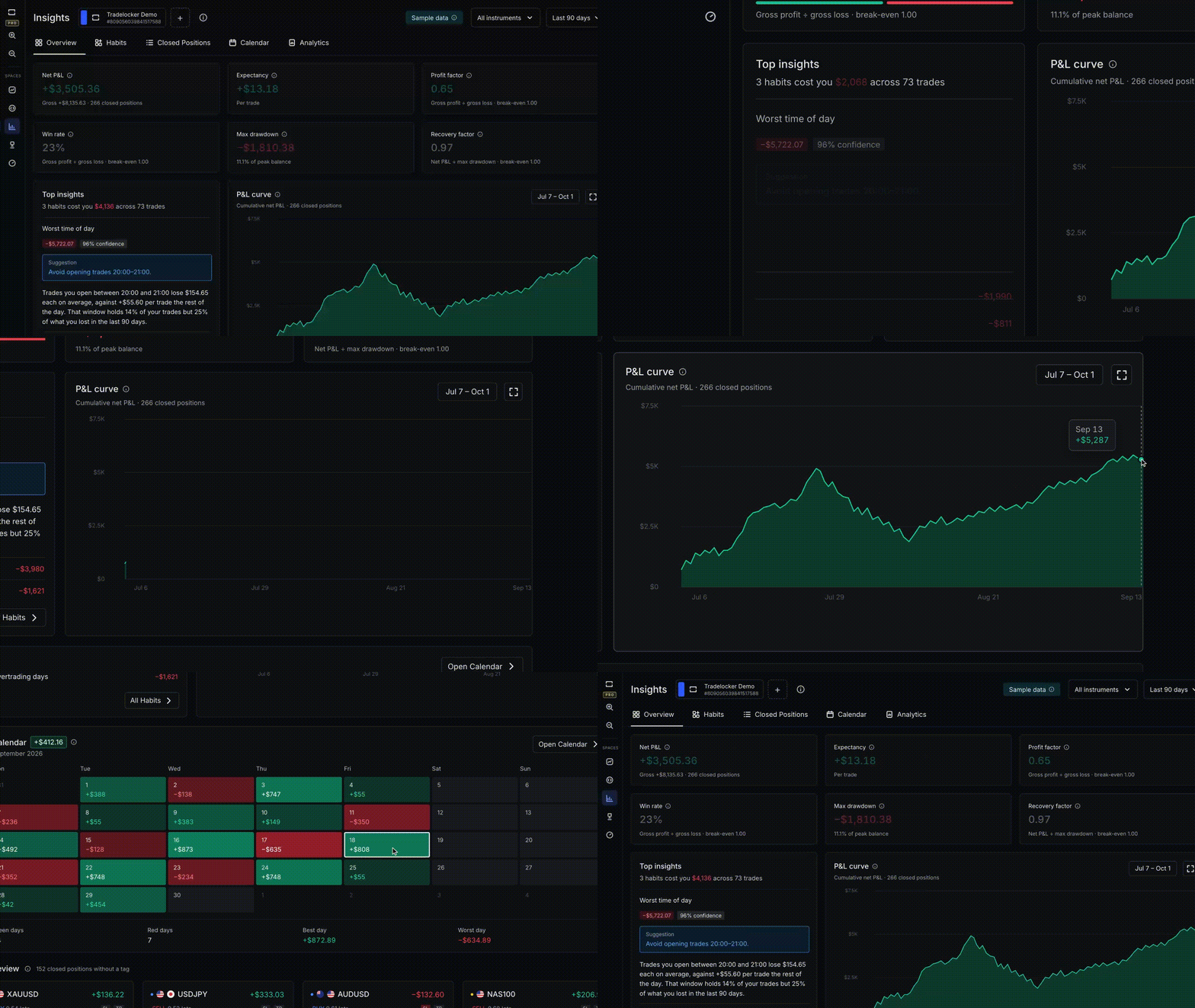
The overview is free and works on one account at a time.
Go deeper with TradeLocker Pro
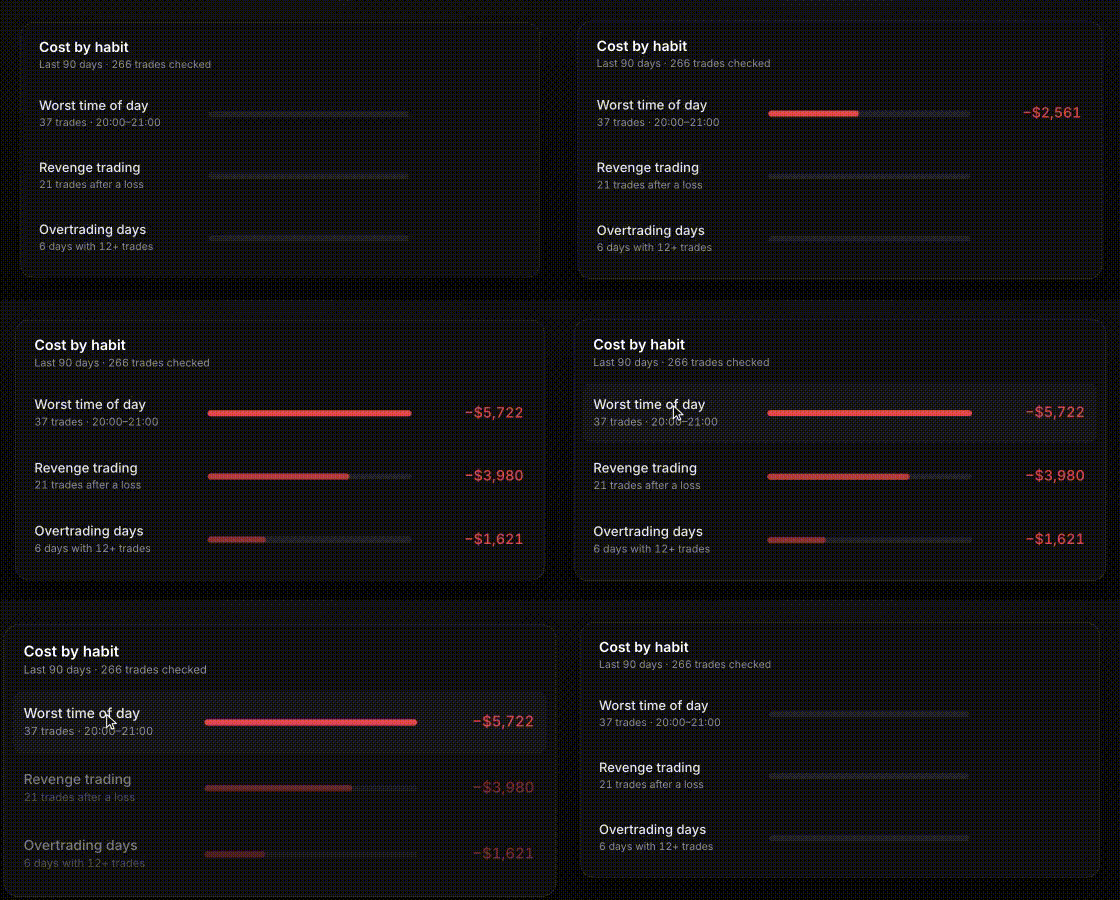
Cost report
Your habits ranked by what they’ve cost you, most expensive first. Not sure which habit to fix first? Start at the top.
Trade evidence
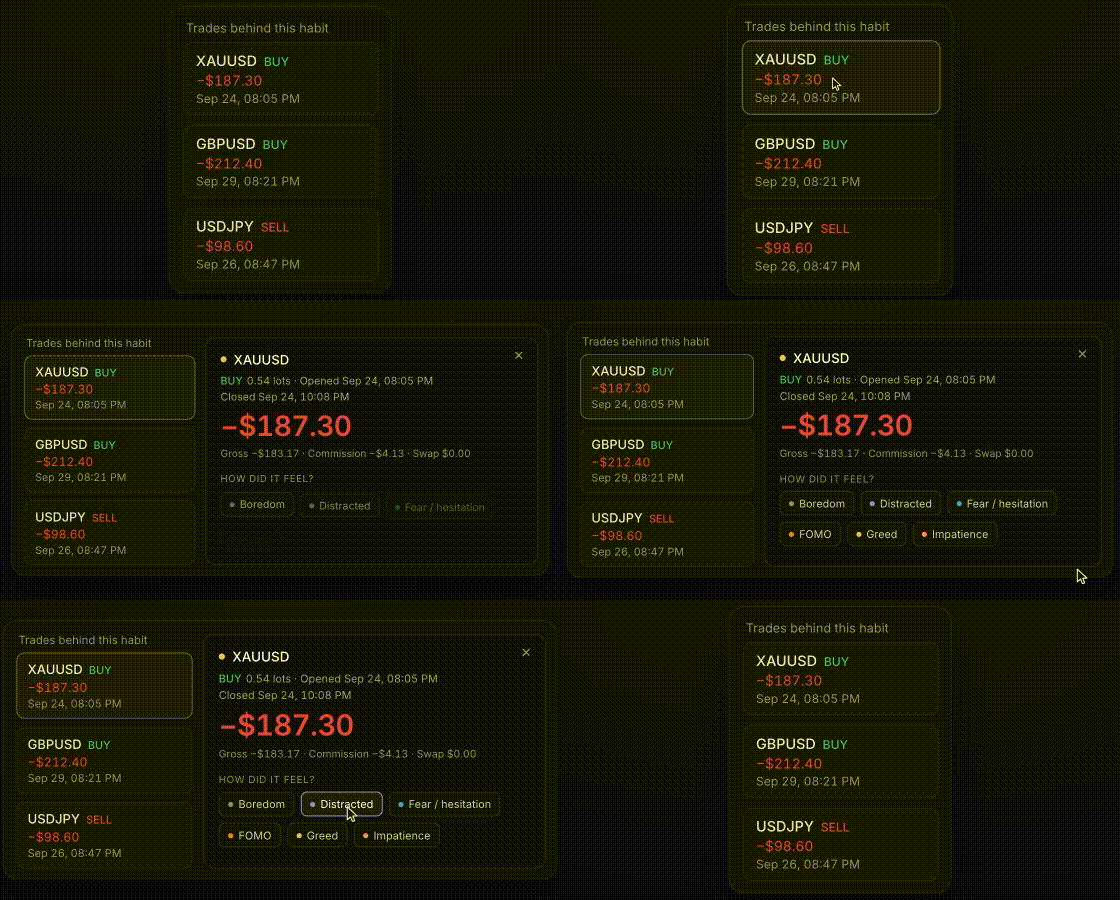
Click any habit to see the exact trades behind it and how they compare with the rest of your trading. Open a trade to see what happened.
Combined view
Link all your accounts to your TradeLocker Profile, for example a prop challenge and a live broker account. Switch to the combined view to see them as one record, at any broker or prop firm.
One account shows you a result. All your accounts together show you a pattern.
Journal
Every closed trade is already in your journal, with nothing to type in. Go to closed positions, open a trade, and add a note and a tag, like “chased the breakout” and “FOMO.” Later, filter by that tag to see how those trades went.

Analytics and calendar
Your P&L curve and key stats in one place. The calendar shows your results day by day. Click a red day to see which trades caused it.

Export
Download your journal as a CSV, including your notes, tags and pattern results.
Want the full picture? Start your 14-day free trial of TradeLocker Pro. A card is required, and you can cancel anytime.
Help us build the perfect trading platform that prioritises your needs and preferences. Join our Discord community to meet the TradeLocker team and other traders, discuss upcoming features, and chat with us directly.
