TradeLocker Profile is your single identity on TradeLocker. One unified account that brings together your demo and all your broker and prop firm accounts in one place. You only need one profile, and it stays with you as you grow on the platform.
Navigating your TradeLocker Profile
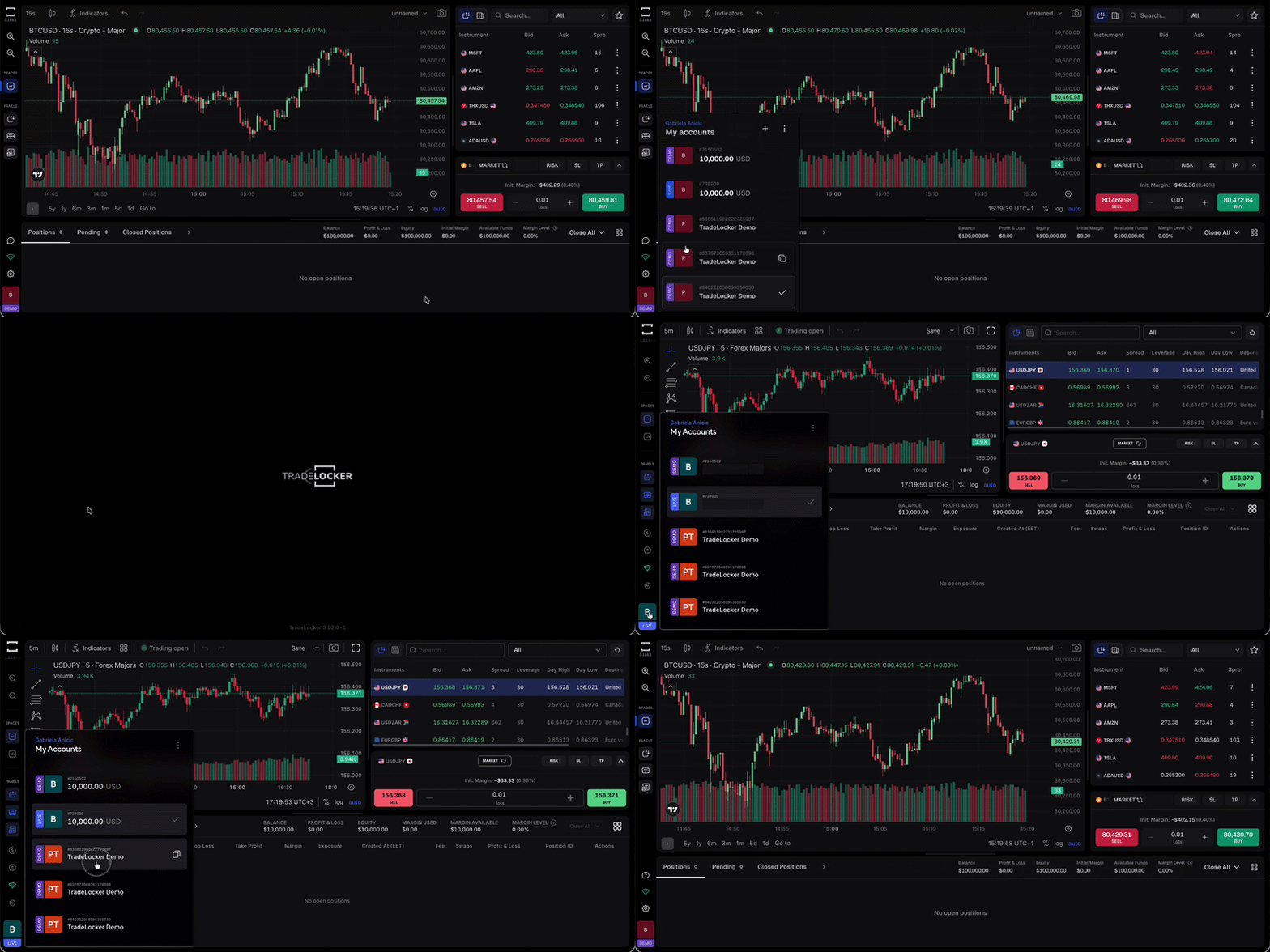
You can find your profile in the bottom left corner of the platform. Click the account box to open it and see all your connected accounts.
Press + to add a new account. You’ll be asked how you’d like to continue.
Add New Demo Account
Create an additional demo account with a $100,000 virtual balance. You can have up to 10 demo accounts under one TradeLocker Profile.
- Click the account box in the bottom left corner of the platform
- Press +
- Select Add New Demo Account
- Your new demo account will be created instantly with a $100,000 virtual balance and added to your TradeLocker Profile
You can have up to 10 demo accounts under one TradeLocker Profile.
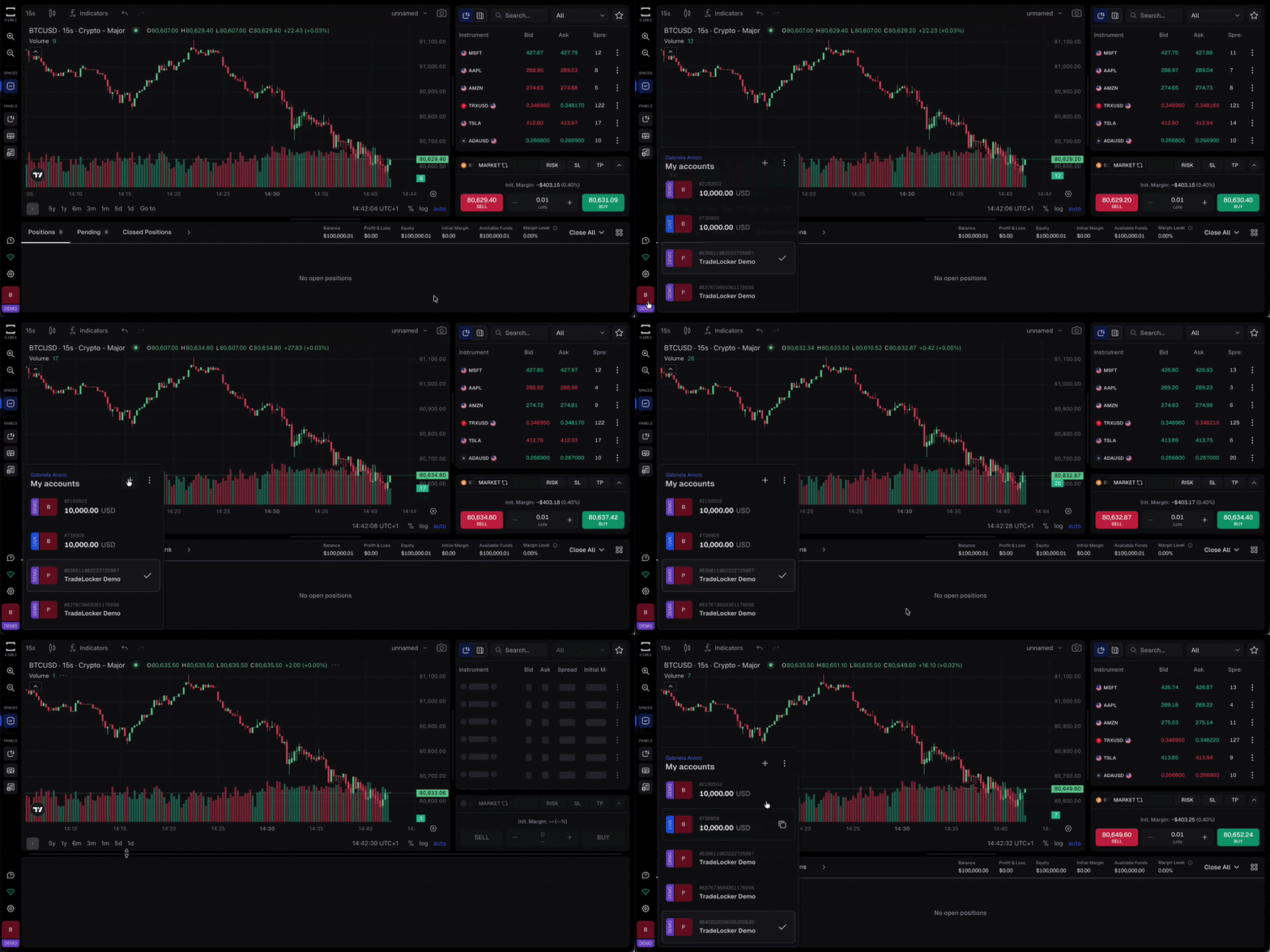
Pick Broker
Browse the full list of brokers on TradeLocker Hub. Select a broker, sign up or log in, and start trading with your own funds. Your broker account will be linked directly to your TradeLocker Profile.
- Click the account box in the bottom left corner of the platform
- Press +
- Select Pick a Broker
- You’ll be taken to the TradeLocker Hub where you can browse the full list of compatible brokers
- Select a broker and follow their sign-up process
- Once registered, your broker account will be linked directly to your TradeLocker Profile
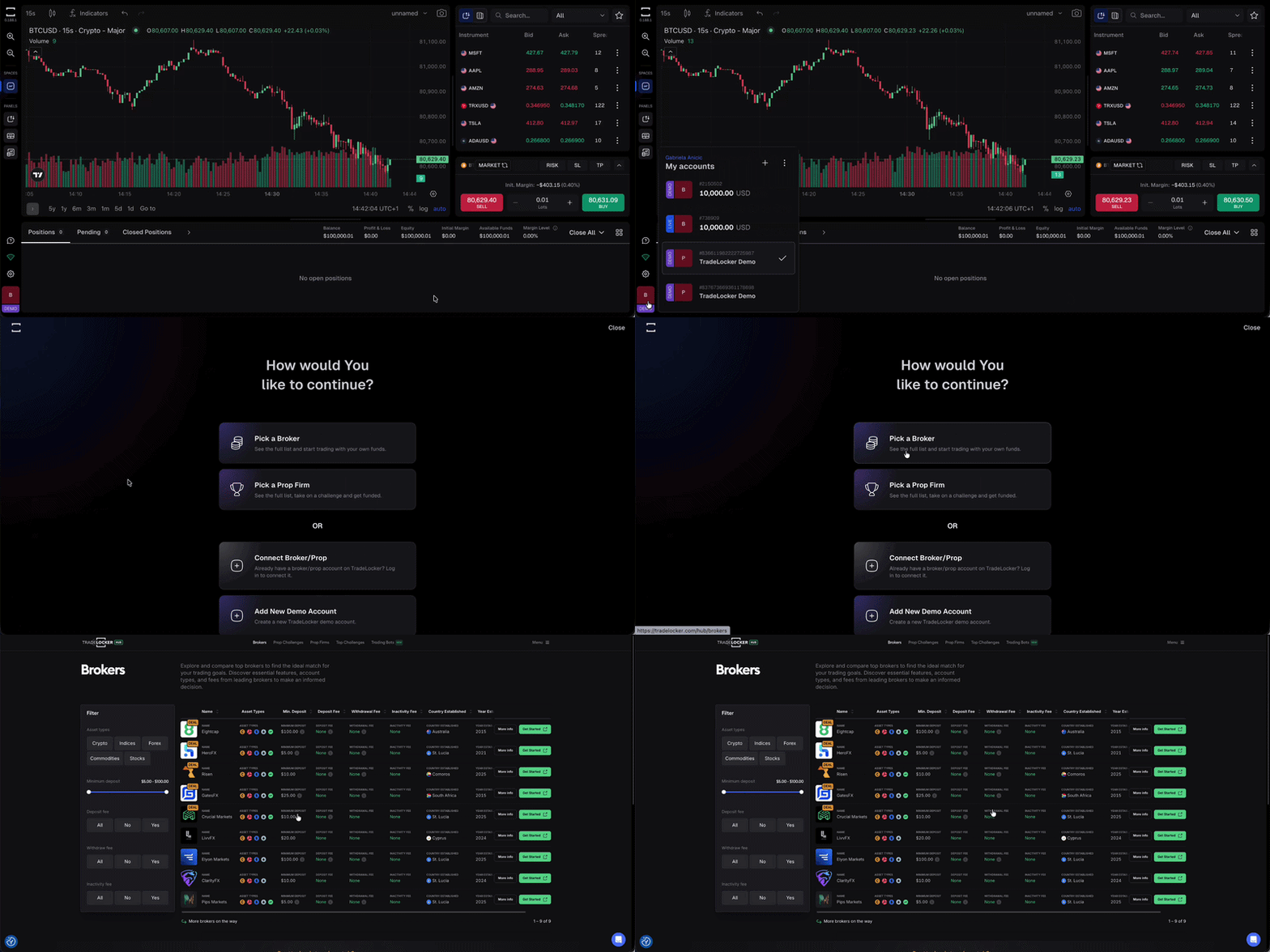
Pick a Prop Firm
Explore prop firm challenges on TradeLocker Hub. Take on a challenge, get funded, and manage your prop account alongside everything else from your profile.
- Click the account box in the bottom left corner of the platform
- Press +
- Select Pick a Prop Firm
- You’ll be taken to the TradeLocker Hub where you can browse the full list of prop firm challenges
- Select a prop firm, take on a challenge, and get funded
- Your prop firm account will be linked directly to your TradeLocker Profile
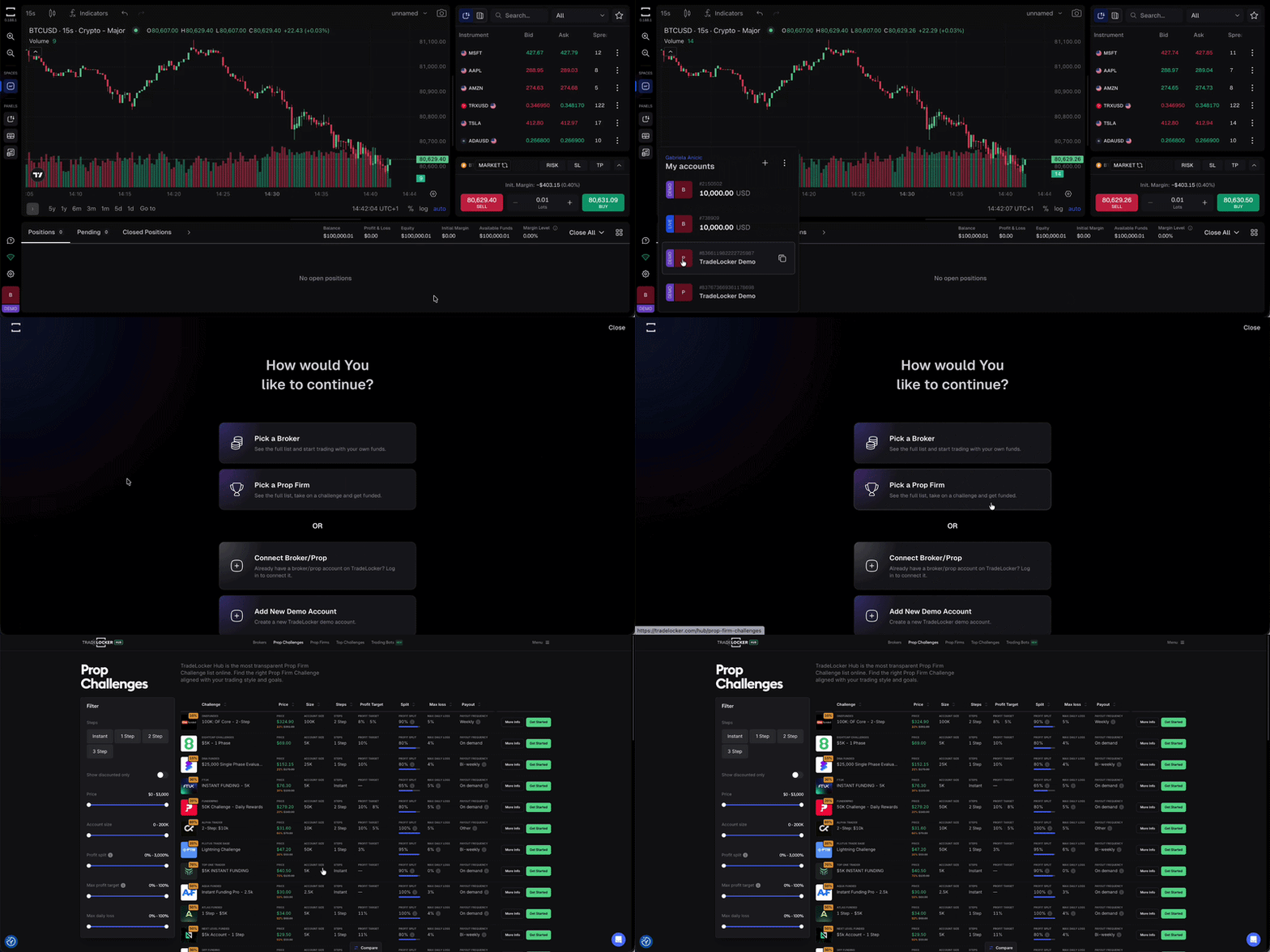
Connect a Broker or Prop firm
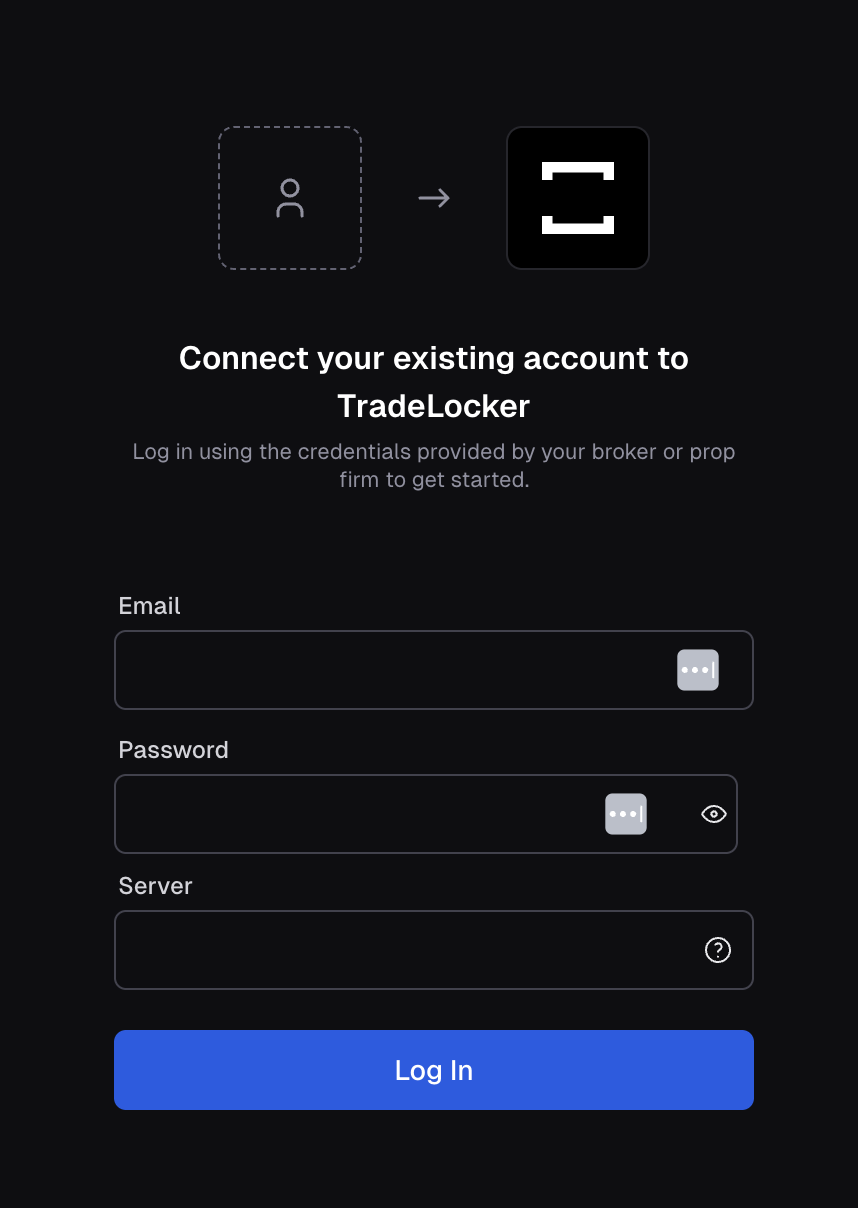
Already have a broker or prop firm account on TradeLocker? Log in to connect it to your profile. You’ll need the credentials your broker or prop firm provided.
- Click the account box in the bottom left corner of the platform
- Press +
- Select Connect Broker/Prop
- Enter the login credentials provided by your broker or prop firm
- Your account will be connected and added to your TradeLocker Profile
How To Create TradeLocker Demo
Step 1: Try Demo
Head over to app.tradelocker.com.
Step 2: Sign up
You’ll be taken to the sign-up screen. Choose how you’d like to register (with Google or Apple).
Step 3: Your TradeLocker Profile is ready
And you’re in. Your profile is created and a $100,000 virtual demo account is automatically set up and ready to use. The DEMO badge in the bottom left corner confirms you’re trading with virtual funds.
Your TradeLocker Profile is free to create. No broker or prop firm account required.
Switching Between Accounts
Once you have multiple accounts connected, switching is instant.
Click the account box in the bottom left corner, select the account you want to trade on, and you’re in.
No logging out, no separate logins.
The benefits of your TradeLocker Profile
- One login for all your broker and prop firm accounts.
- Instant access to a free demo account from the moment you sign up.
- Switch between demo and live accounts seamlessly.
- Connect as many broker and prop firm accounts as you need.
Help us build the perfect trading platform that prioritises your needs and preferences. Join our Discord community to meet the TradeLocker team and other traders, discuss upcoming features, and chat with us directly.
