There are two ways to open an account on TradeLocker, through a TradeLocker Demo or through a broker or prop firm.
What is a TradeLocker Demo Account?
A TradeLocker demo account is a simulated trading environment where you can experience live markets completely risk-free. Practice with $100,000 virtual demo account, learn at your own pace, and get to know the platform. No broker or prop firm account required. All you need is an email address and a few minutes to get set up.
Here’s how to open a TradeLocker demo account:
Step 1: Try Demo
Head over to tradelocker.com
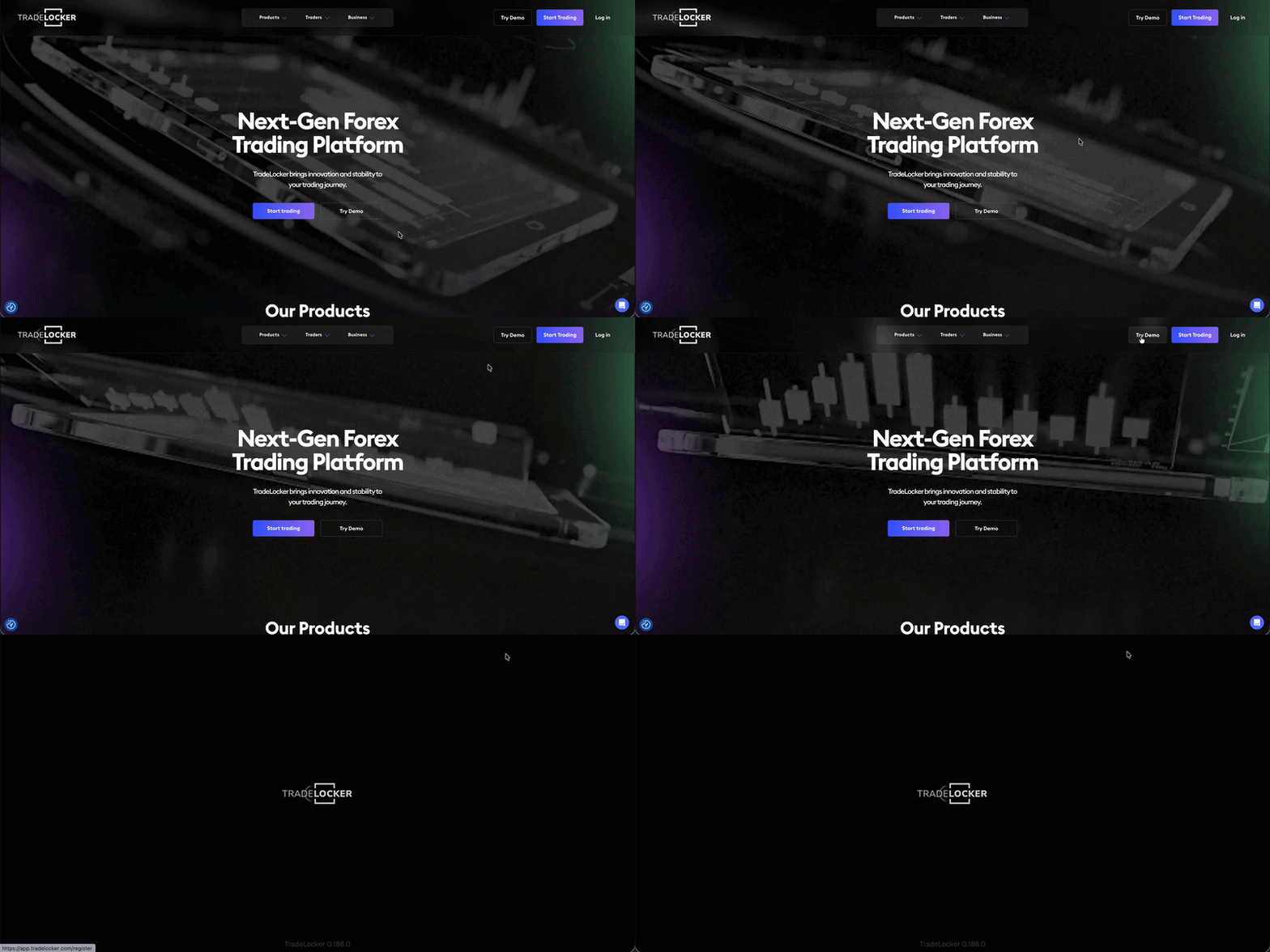
Step 2: Create your TradeLocker Profile
You’ll be taken to the sign-up screen. Choose how you want to sign up.
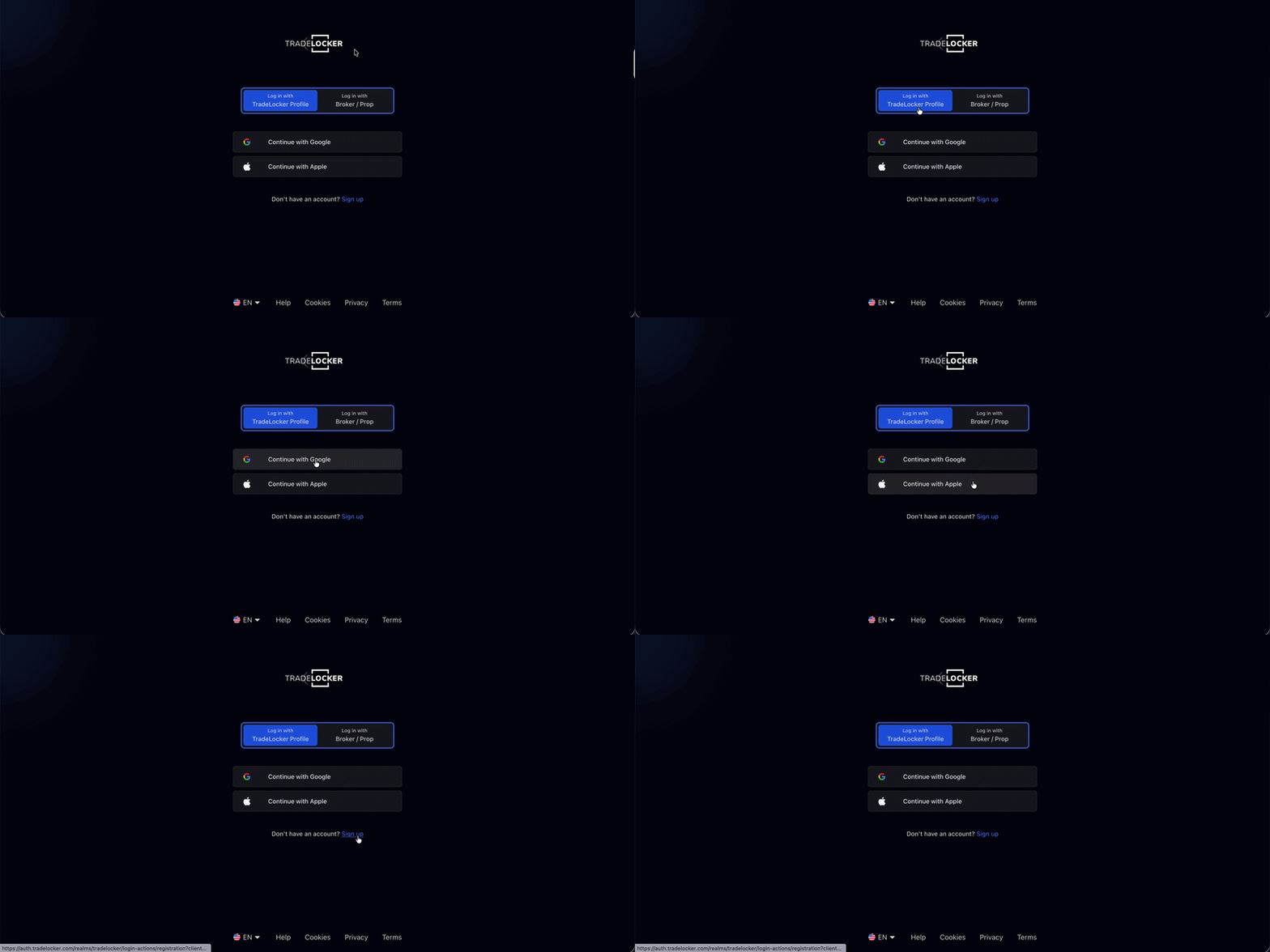
Your TradeLocker Profile is your single identity on the platform. It’s where you manage everything, your demo account, and any broker or prop firm accounts you connect down the line.
Step 3: Start Trading
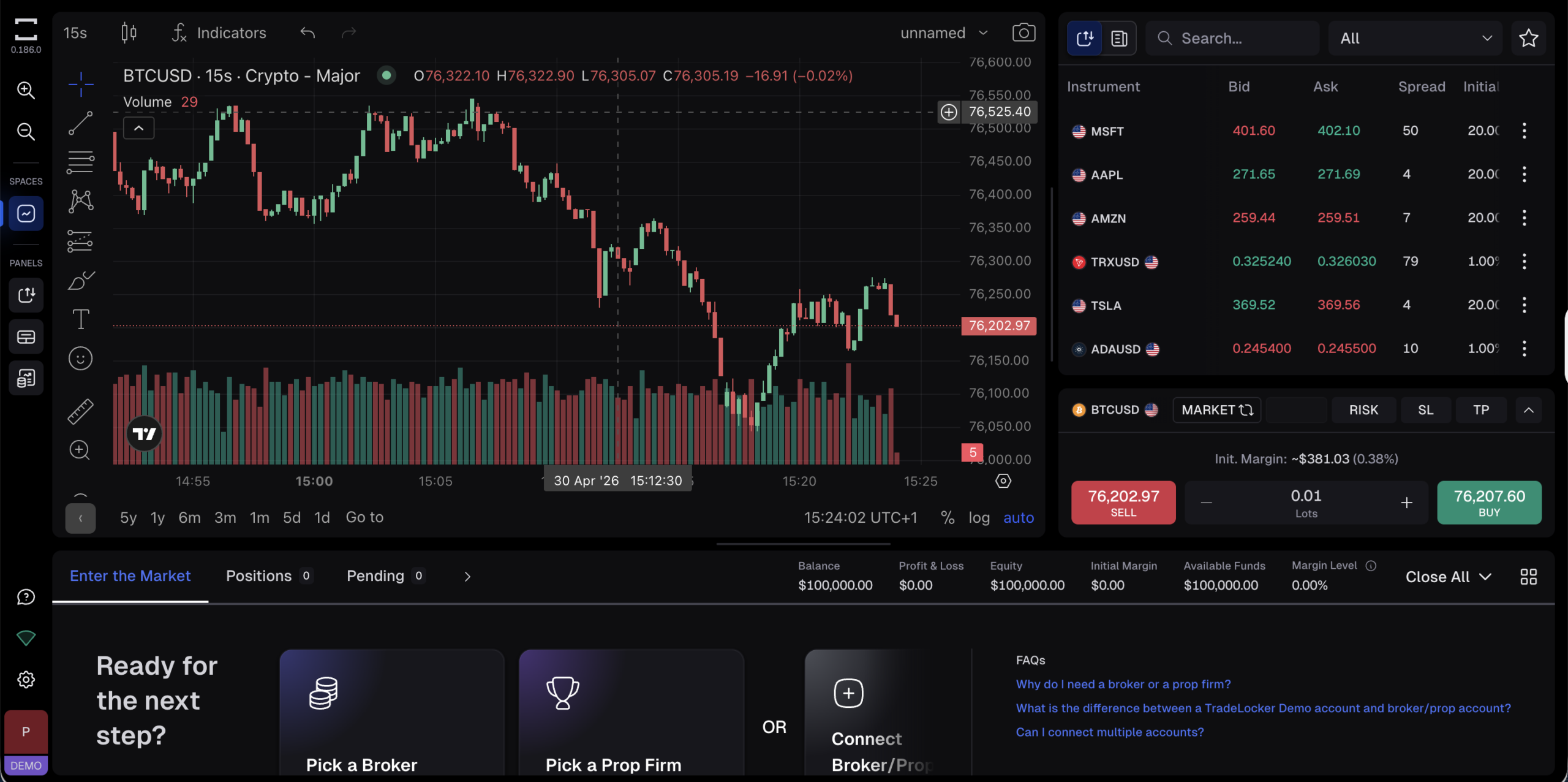
And you’re in. You’ll land on the platform with a $100,000 virtual demo account ready to go.
The DEMO badge in the bottom left corner confirms you’re trading with virtual funds.
Your demo account uses virtual funds only. No real money is involved and nothing needs to be deposited to get started.
Step 4: Place Your First Trade
Use the search bar to find an instrument you want to trade.
Select it, choose your position size, and hit Buy or Sell. You can also set a Stop Loss and Take Profit before confirming, a good habit to build from the start.
Navigating the TradeLocker Demo Account
Once you’re inside the platform, here’s what you have access to:
- Live market data and real-time pricing.
- TradingView charting with indicators and drawing tools.
- SL&TP calculator, on-chart trading tools and more.
Connect a Broker or Prop Firm Account
When you’re ready to trade with real money or through a funded account, you can connect a broker or prop firm directly from your TradeLocker Profile, no need to create a new account, just link your existing credentials.
Click the account box in the bottom left corner and press +. From there you can:
- Pick a Broker — browse the full list and start trading with your own funds
- Pick a Prop Firm — explore challenges on the Hub and get funded
- Connect Broker/Prop — already have a broker or prop account on TradeLocker? Log in to connect it to your profile
- Add New Demo Account — create an additional demo account
To connect an existing account, click the three dots next to your account and enter the credentials your broker or prop firm sent you.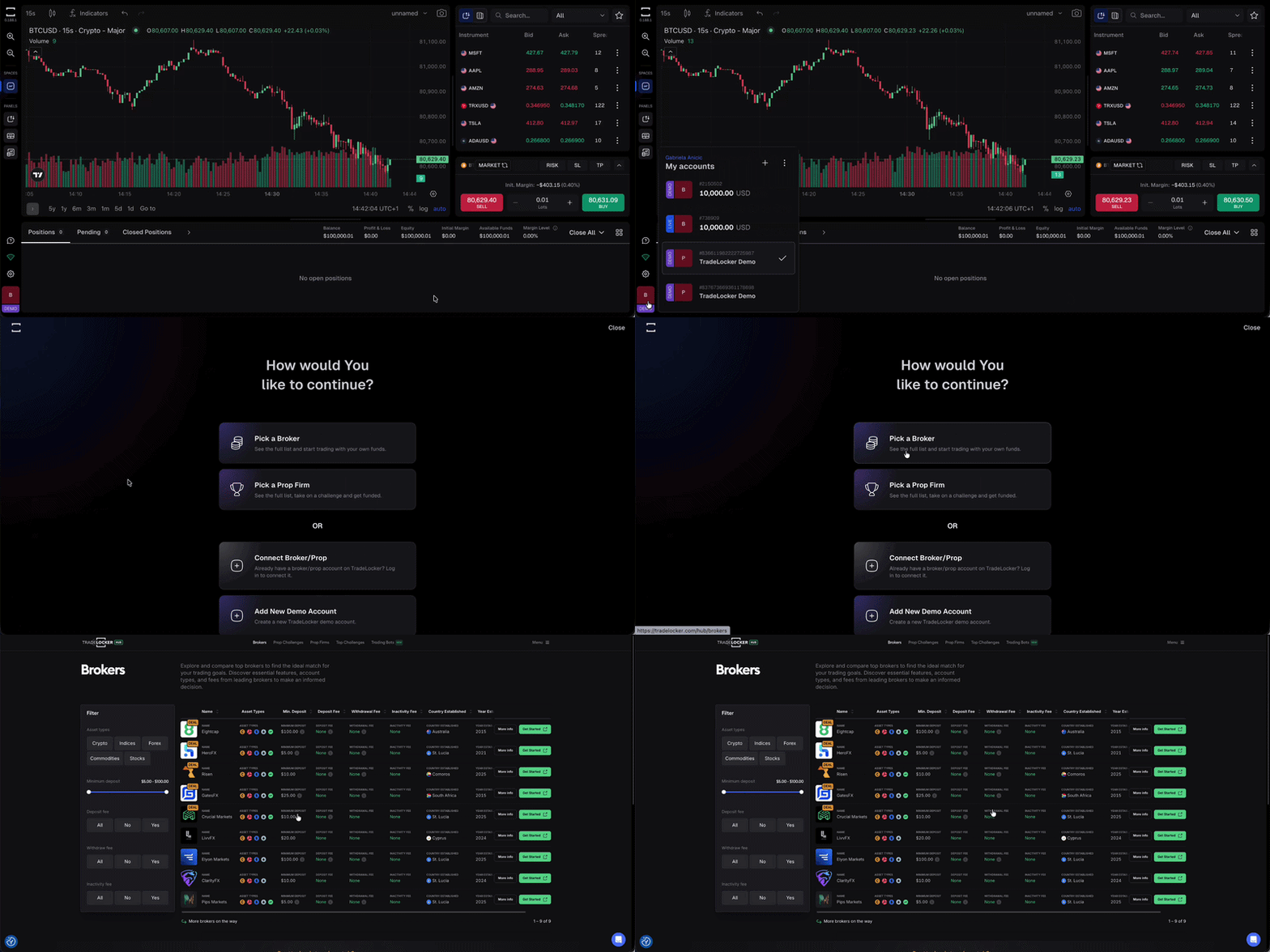
Don’t have a broker yet? You can find a full list of compatible brokers and prop firms on the TradeLocker Hub.
The Benefits of a Demo Trading Account
Having a demo account on TradeLocker has numerous advantages for both beginner and experienced traders.
It allows you to practice trading without risking real money, offering a safe environment to learn the basics. The demo account also gives you the opportunity to familiarise yourself with the TradeLocker platform.
Experienced traders can use the demo account to simulate different market conditions, honing their skills and adapting their strategies. Practicing on a demo account also gives you a deeper understanding of risk management.
Help us build the perfect trading platform that prioritises your needs and preferences. Join our Discord community to meet the TradeLocker team and other traders, discuss upcoming features, and chat with us directly.