If you trade with a prop firm (or run one), you’ve probably seen the same choice over and over:
“Do we go with TradeLocker or Match-Trader?”
Both platforms are popular in the prop and brokerage space. Many firms even offer them side by side, sometimes alongside MT5 and cTrader.
But they’re not built for the same thing:
-
One is designed for discretionary traders who want TradingView charts, a clean interface and mobile-friendly execution.
-
The other leans into raw speed, heavy throughput and all-in-one infrastructure for brokers and prop firms.
This article gives you a ready-to-use, no-nonsense breakdown of TradeLocker vs Match-Trader for:
-
individual traders (especially funded traders),
-
prop firm owners and risk managers,
-
brokers comparing platform stacks.
You’ll get:
-
a TL;DR table you can skim in 30 seconds,
-
clear pros and cons for each platform,
-
and a 60-minute testing plan so you can decide based on your own experience.
TradeLocker vs Match-Trader: TL;DR in One Table
Here’s the core comparison in a format you can screenshot, share or paste into an internal doc.
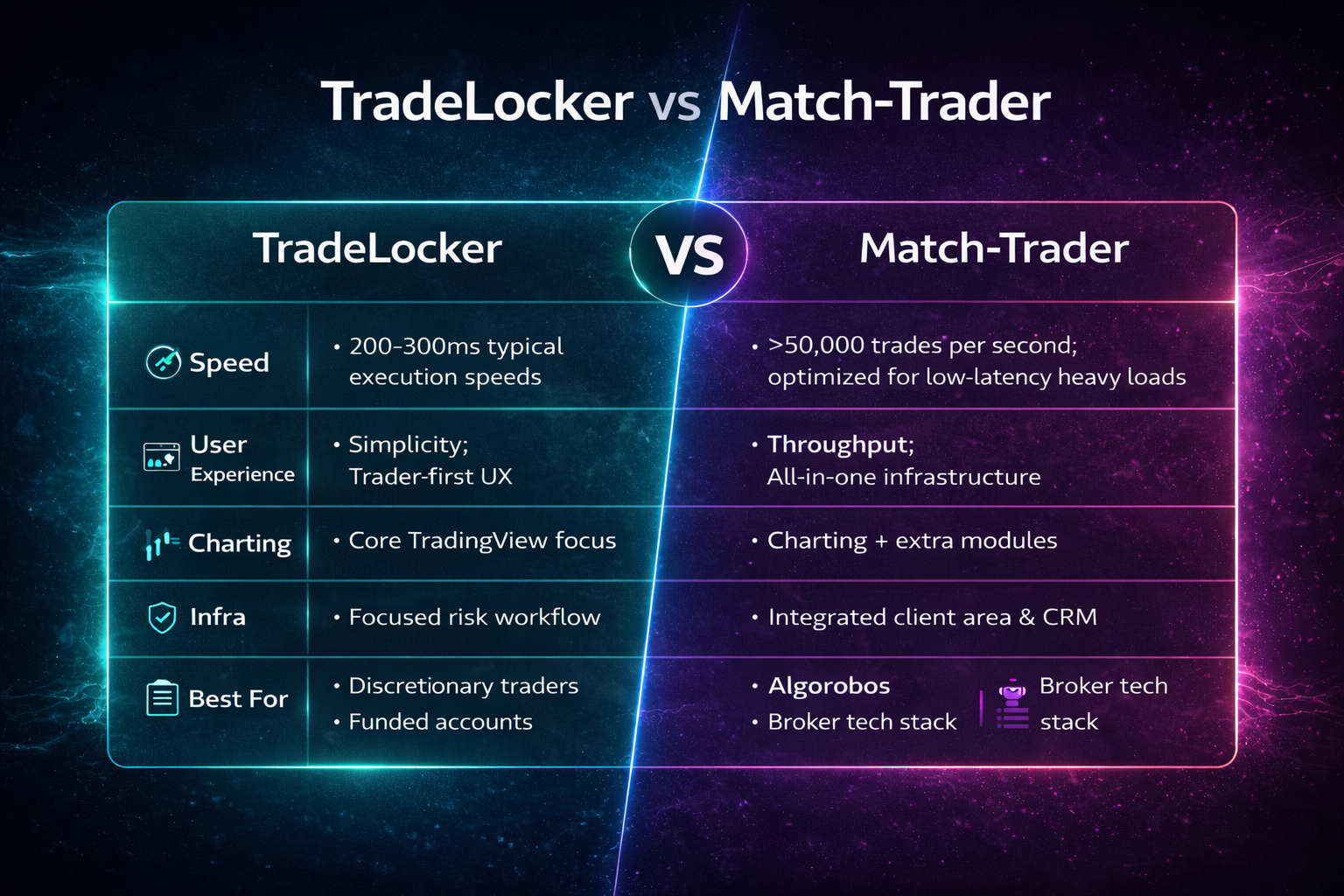
| Feature | TradeLocker | Match-Trader |
|---|---|---|
| Ideal For | Discretionary traders, mobile users, and those who prefer TradingView’s charting. | High-frequency, algorithmic, and speed-focused traders. |
| Speed | Fast, but not built for extreme high-frequency trading; execution speeds are around 200–300ms in typical live environments. | Very fast, capable of handling over 50,000 trades per second; built for low-latency, high-throughput conditions. |
| Platform Focus | Simplicity and a modern, seamless user experience. | High performance, speed, and adaptability across web, desktop and mobile. |
| Key Features | TradingView integration, mobile-first design, on-chart trading, built-in risk calculator, social/community integration via partner ecosystems. | PWA (Progressive Web App) technology, high-performance infrastructure, integrated client area and CRM, social/copy trading. |
| Technical Analysis | Strong integration with TradingView’s advanced charting tools. | Includes TradingView-based charts, but its main strength is raw speed and infra. |
| Complexity | Simpler, with a modern and clean interface. | Can be more complex, with a clean interface but also more advanced tools and widgets. |
| Asset Variety | Primarily forex and CFDs via connected brokers and props. | Specializes in forex and derivatives; usually narrower than a full MT5 multi-asset stack. |
Quick takeaways:
-
If you’re a discretionary trader who cares about clarity, TradingView charts and mobile, TradeLocker is usually the better starting point.
-
If you’re building or using high-frequency or heavily automated strategies, or you want a single vendor for platform + CRM + client area, Match-Trader will appeal more.
Now let’s unpack what that actually means in real life.
Platform Basics: What You’re Really Comparing
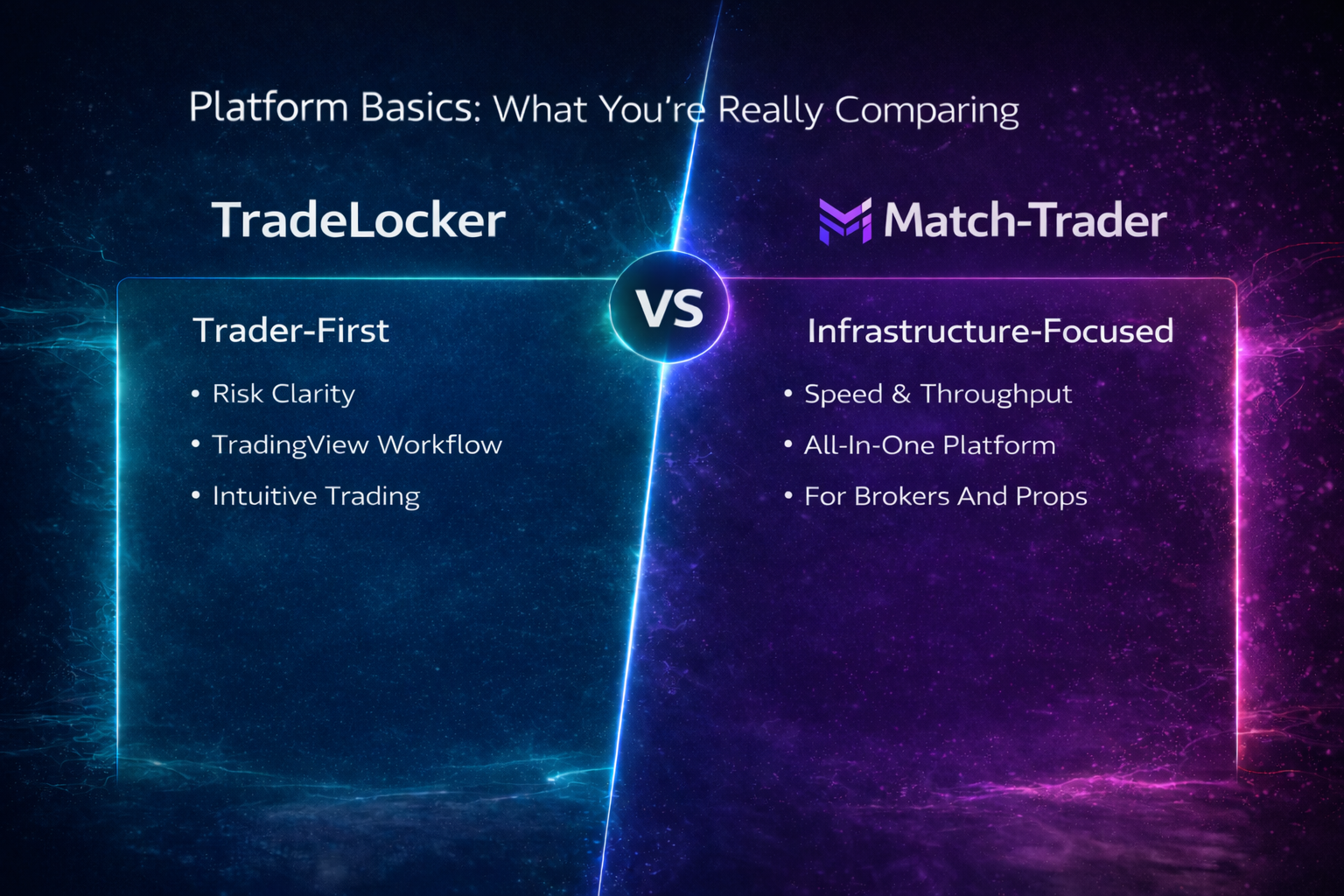
Before we dive into UX and speed, it helps to define each platform in one sentence.
What Is TradeLocker?
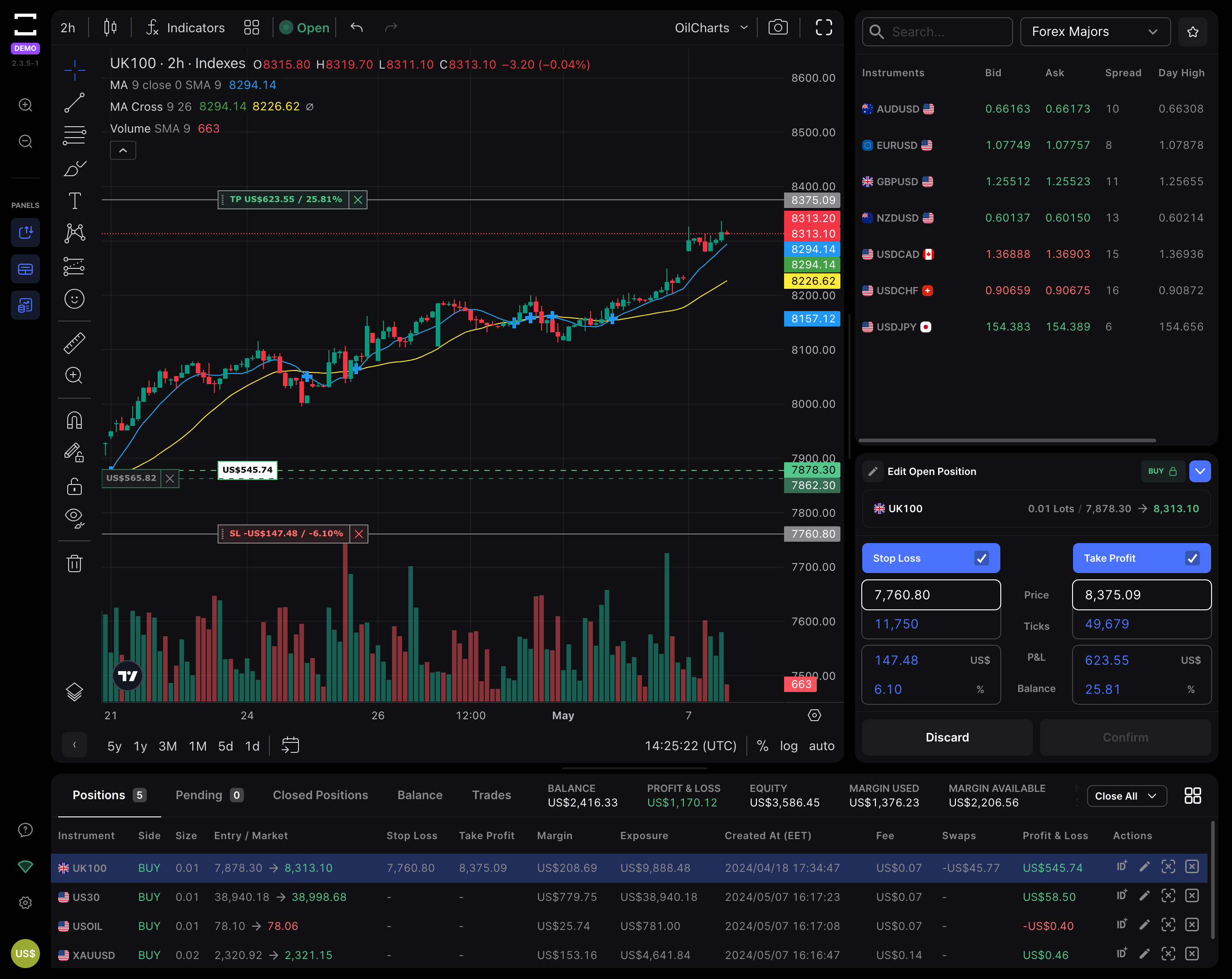
TradeLocker is a next-generation trading platform built for discretionary day traders and prop traders who:
-
want TradingView-style charts inside their platform,
-
prefer a clean, web-first interface,
-
need risk tools that match prop rules (daily loss, max loss, etc.).
From the trader’s point of view, it feels like someone took the typical “MT4/MT5 terminal” and said: “What if we stripped out everything that causes mistakes and left only what traders actually use?”
From the firm’s perspective, TradeLocker is:
-
a trader-first front end they can offer alongside or instead of MetaTrader,
-
a way to look more modern than competitors using older terminals,
-
a platform that meshes well with communities, education and prop-style trading.
What Is Match-Trader?
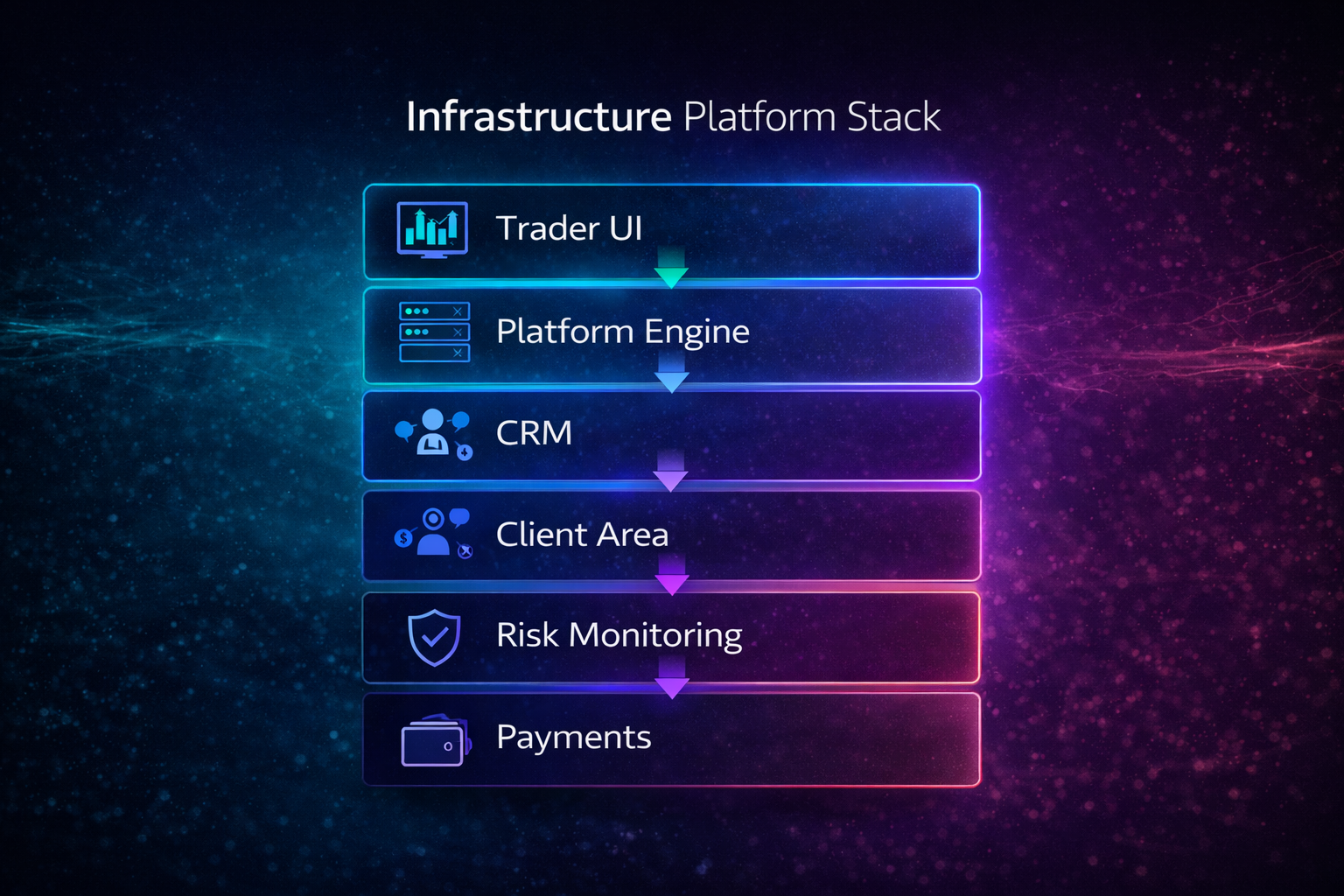
Match-Trader is an all-in-one trading platform and infrastructure stack, designed mainly for:
-
brokers who want platform + CRM + client area in one solution,
-
prop firms that need high performance and strong central control.
On the trader side, Match-Trader offers:
-
TradingView-style charts,
-
social/copy trading,
-
an integrated client area (deposits, KYC, etc.),
-
and a single Progressive Web App that syncs across devices.
On the B2B side, it’s built to:
-
handle huge volumes of trades per second,
-
simplify the tech stack (one vendor for many components),
-
provide dashboards and risk tools for the firm, not just the trader.
So at a high level:
-
TradeLocker is very clearly a trader UX and risk-clarity platform.
-
Match-Trader is a speed-centric, infra-heavy platform with trading, client area and CRM tied together.
User Experience & Learning Curve
If you’ve ever blown a trade because the platform UI confused you, this section matters more than anything.
First Login: What Do You See?
TradeLocker
When you log into TradeLocker for the first time, you typically see:
-
a large TradingView chart in the middle,
-
a lean watchlist on the side,
-
a straightforward order ticket with volume, SL and TP,
-
a clean, minimal workspace with no random floating windows.
The overall impression is: “I can trade from this screen without feeling lost.”
Match-Trader
On first login, Match-Trader usually presents:
-
a chart,
-
watchlists,
-
additional panels (social/copy, account info, maybe dashboards),
-
and quick access to deposits, account settings, or other widgets.
It still looks modern and clean, but there’s more happening on screen from day one.
Cognitive Load Under Pressure
When markets move fast, complexity can hurt you:
-
More panels = more places to misclick.
-
More options = more time to think about mechanics instead of your plan.
If you’re a funded trader trying to respect daily loss rules, a simpler workspace like TradeLocker’s can:
-
reduce mis-sized orders,
-
reduce “I forgot to set my stop” moments,
-
reduce emotional overload.
On the other hand, if you’re highly experienced and enjoy having everything visible (performance widgets, news, social signals, etc.), Match-Trader’s multi-widget layout might feel more “pro” once you’ve adapted to it.
Charting, Tools & Order Workflow
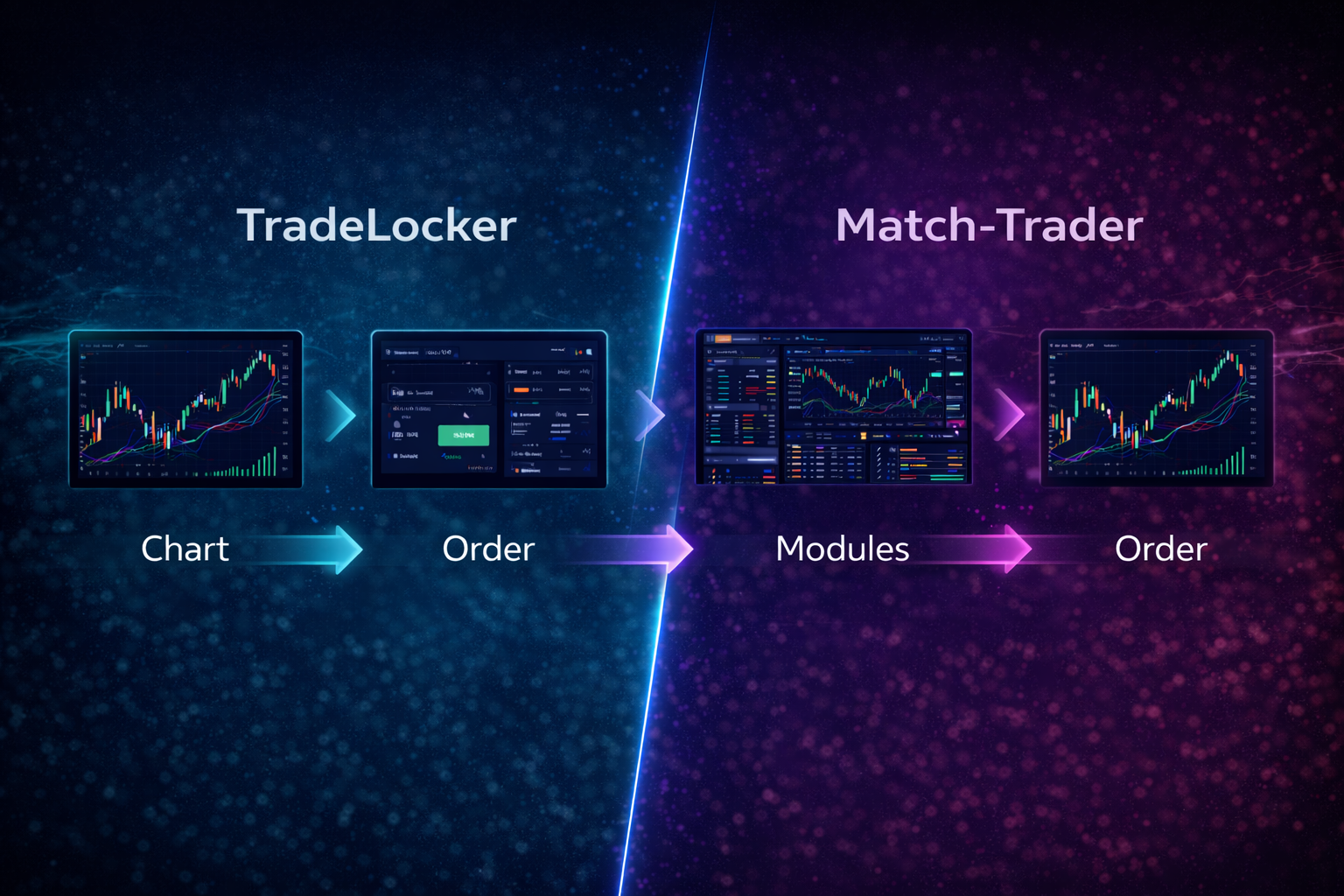
Both platforms lean on TradingView’s charting tech. The difference is how central that charting is to the experience.
Charting: Depth vs Focus
TradeLocker
-
TradingView-powered charts aren’t just an add-on – they’re the core of the workspace.
-
Most traders can jump in and use familiar tools right away:
-
built-in indicators,
-
multi-timeframe analysis,
-
templates and layouts.
If you used to analyze in TradingView and then hop to another platform to execute, TradeLocker effectively merges those worlds.
Match-Trader
-
Includes TradingView-style charting as part of a broader cockpit.
-
Charting is strong, but sits alongside:
-
account panels,
-
social trading modules,
-
client-area functions.
-
You still get solid analysis tools, but they share attention with more “platform extras”.
Order Ticket & Risk Workflow
This is where a lot of traders decide which platform they actually trust.
TradeLocker
-
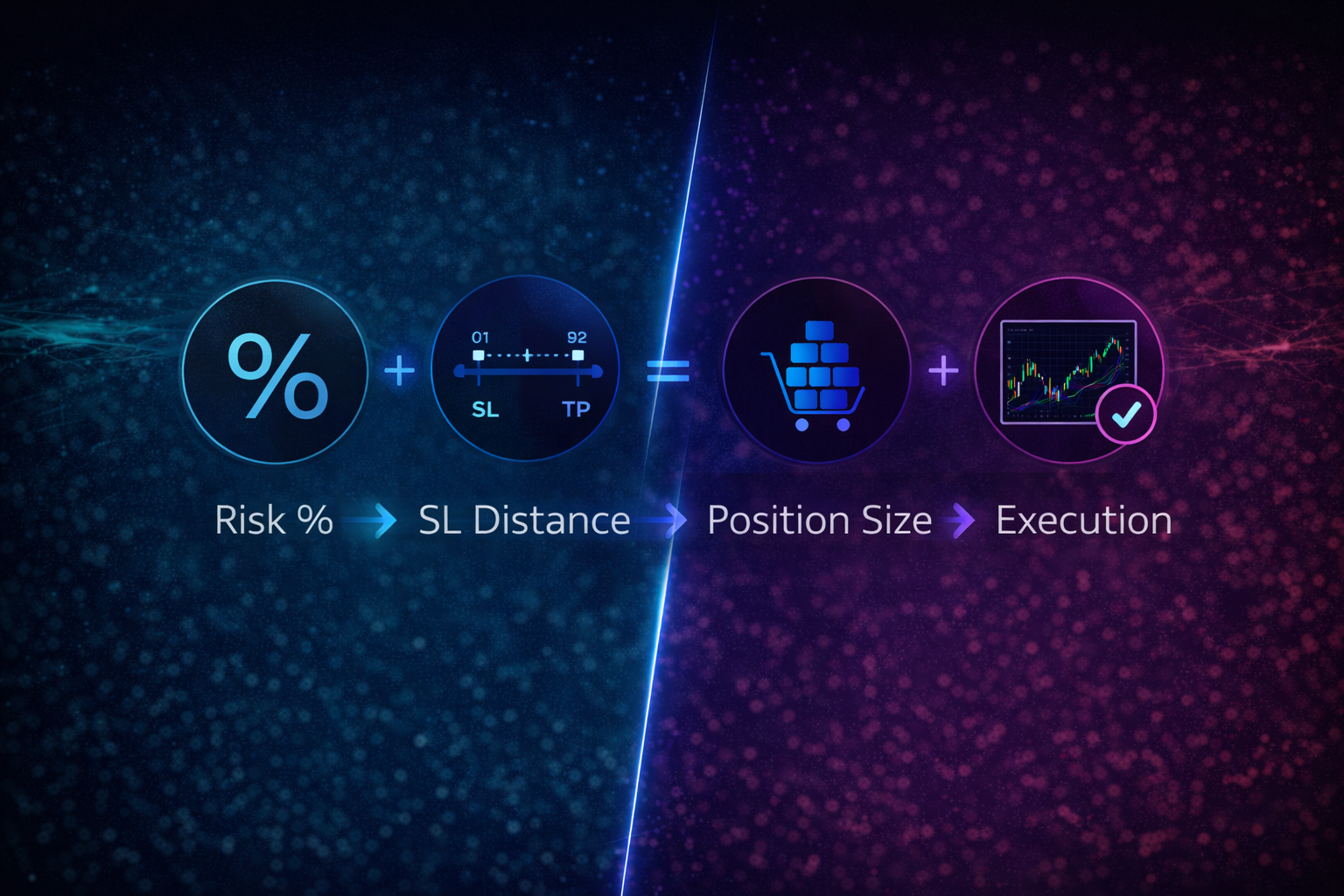
Built-in risk calculator
-
choose your risk per trade (e.g. 0.5% or $100),
-
define your stop loss distance,
-
TradeLocker calculates the correct lot size.
-
-
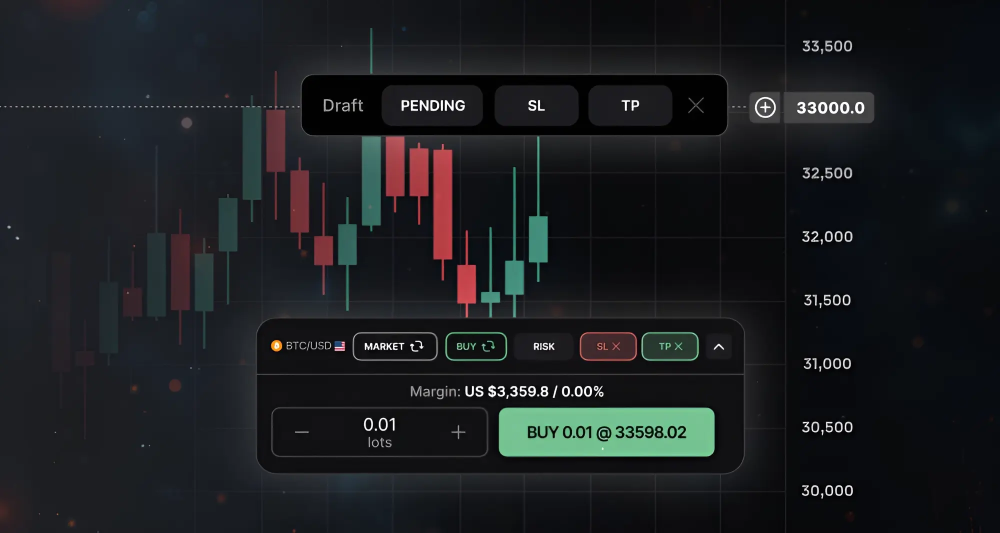
On-chart trading and editing
-
place orders directly from the chart,
-
drag SL/TP lines to adjust,
-
see risk and potential reward visually.
-
-
Prop-friendly by design
The platform makes respecting prop rules (daily loss, max loss, no oversized positions) much more natural.
Match-Trader
-
Modern order tickets with:
-
market and pending orders,
-
SL/TP fields,
-
quick access to position management.
-
-
Strong firm-side risk controls:
-
exposure monitoring,
-
account-level limits,
-
group rules.
-
For a trader, it’s powerful – but the “risk discipline” is more under the firm’s control, while TradeLocker tries to build discipline into the trader’s daily workflow.
Social, Copy & Automation
-
TradeLocker keeps the core workspace focused. You can still be part of communities and use external tools, but the main UI is about your trades, your risk, your charts.
-
Match-Trader leans more into social and copy trading, with dedicated modules for following and copying other traders, plus integration with the client area.
If you want to scroll leaderboards and copy others, Match-Trader has that baked in. If you’d rather minimise distractions and focus on your own edge, TradeLocker’s simplicity is a plus.
Execution, Stability & Speed
Speed is one of Match-Trader’s main marketing points, so let’s put it in context.
What Actually Controls Execution?
Execution quality depends on:
-
the platform,
-
the broker/prop firm’s server setup,
-
where the servers are located,
-
what liquidity and routing they use,
-
market conditions.
No platform can magically fix a bad backend.
That said, there is a genuine difference in design focus.
Match-Trader’s Speed Profile
Match-Trader is built to:
-
handle tens of thousands of transactions per second,
-
keep latency very low,
-
support large volumes of accounts and high intensity of orders.
If you’re building high-frequency strategies, or running a prop firm that expects very heavy loads around news, this matters.
For the average discretionary trader, though, the extra microseconds are less important than:
TradeLocker’s Speed Profile
TradeLocker is:
-
fast enough for most discretionary styles (scalping, intraday, swing),
-
designed around clean execution rather than unnatural HFT edge.
Typical live setups see execution times around 200–300ms – more than adequate for human-driven trading and prop challenges, as long as the underlying broker/prop has a decent infrastructure.
Realistically:
-
If you are manually trading most of the time, and your decisions are in seconds (not microseconds), the clarity and risk tools in TradeLocker usually give you more practical benefit than squeezing latency from, say, 20ms to 5ms.
-
If you are coding and running algos that fire many times per second, or you manage a huge cluster of accounts firing simultaneously, Match-Trader’s throughput is more relevant.
Risk Management & Keeping Funded Accounts Safe
Funded traders rarely lose accounts because their platform was 50ms slower.
They lose them because they:
-
mis-sized a trade,
-
forgot to set a stop,
-
over-traded out of emotion.
TradeLocker: Built Around Risk Clarity
TradeLocker’s big advantage for funded traders is that risk is always in your face:
-
You set risk per trade, not just lot size.
-
You see where your SL is and what it means in money/percentage.
-
You can adjust visually on the chart before you enter.
This tends to:
-
keep daily loss under control,
-
reduce “oops” trades,
-
encourage small, controlled position sizing.
If you’ve ever failed a challenge because of one oversized, emotional trade, this kind of workflow is a game changer.
Match-Trader: Strong Firm-Side Control
Match-Trader’s risk story is stronger at the firm level:
-
dashboards to see exposure by symbol or group,
-
account-level controls,
-
limits and monitoring baked into the infrastructure.
This is great if you’re a prop firm or broker managing thousands of accounts.
For individual traders, the tools are solid, but they’re not as heavily geared towards making risk easy and obvious at the ticket level as TradeLocker’s combination of risk calculator + on-chart tools.
Ecosystem, Brokers & Prop Firms
Very often, you’ll encounter these platforms as part of a menu:
-
“Pick your platform: MT5, cTrader, TradeLocker, Match-Trader.”
For Traders
From your side, the choice is usually:
-
Pick a prop firm or broker based on their rules, pricing and reputation.
-
Inside that firm, pick the platform that best fits your style.
In that context:
-
TradeLocker is usually the best pick for discretionary traders who want TradingView charts, simple risk tools and a clean UI they trust.
-
Match-Trader is a strong pick if you’re more speed-sensitive, want built-in social/copy, or you already know and like the way it’s configured at that firm.
For Prop Firms & Brokers
From the B2B side, the question isn’t “which is objectively better?” but:
“What role does each platform play in our stack?”
Common patterns:
-
TradeLocker used as the hero frontend for discretionary traders.
-
Match-Trader used as an all-in-one option or for specific trader segments who need more performance and tooling.
-
MetaTrader or cTrader used where legacy EAs or particular strategies require them.
The key is to design a platform menu where each option has a clear purpose, not a random jumble of terminals.
Pros, Cons & Best-Fit Summary
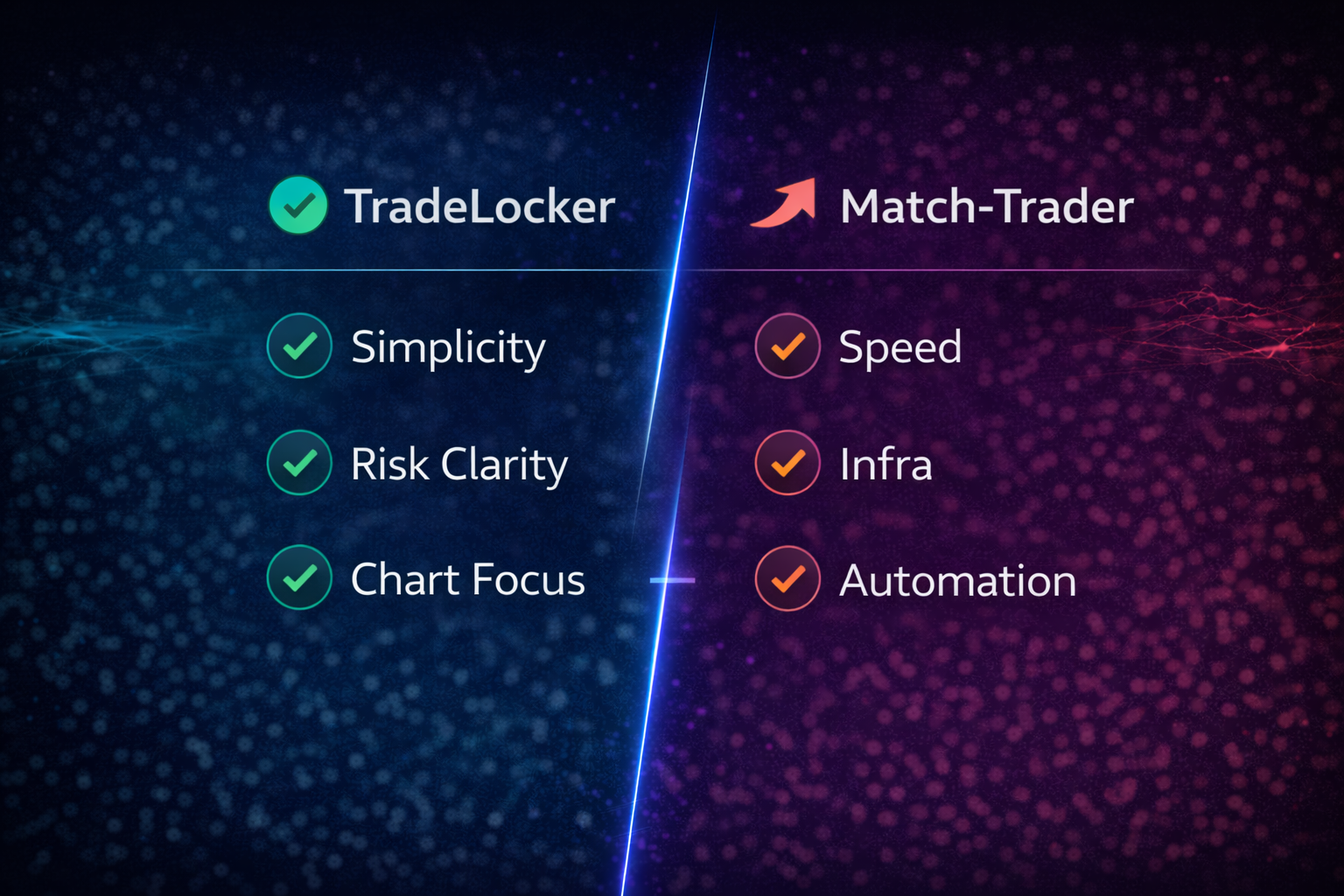
Let’s crystallise this into something you can act on.
TradeLocker – Pros & Cons
Pros for traders
-
Native TradingView-style charting inside the platform.
-
Simple, modern interface that’s easy to learn.
-
Built-in risk calculator that aligns well with prop rules.
-
On-chart trading with visual SL/TP and trailing stops.
-
Web-first and mobile-friendly – great for traders who manage positions on the go.
Pros for prop firms and brokers
-
Strong differentiation from old-school terminals.
-
Very attractive to discretionary and funded traders.
-
Lower cognitive load tends to mean fewer “platform mistake” tickets.
Cons
-
Not designed as an extreme low-latency HFT engine.
-
Does not aim to replace CRM or client-area systems; best used as part of a modular stack.
-
Newer than some legacy platforms, so some firms and traders are still discovering it.
Match-Trader – Pros & Cons
Pros for traders
-
Very fast engine with high throughput.
-
Integrated social and copy trading options.
-
Single app for trading and client-area functions (deposits, account management).
Pros for prop firms and brokers
-
All-in-one approach: platform, CRM, client area, payments and more under a single vendor.
-
Designed to handle heavy load and rapid growth.
-
Strong fit for firms that want fewer tech vendors to manage.
Cons
-
More complex interface with more widgets and options – can feel busy to newer traders.
-
Some of its value (CRM, client area) can overlap with what established firms already use.
-
The more you pack into the same screen, the easier it is for a trader to get distracted or overwhelmed.
How to Test TradeLocker vs Match-Trader in 60 Minutes
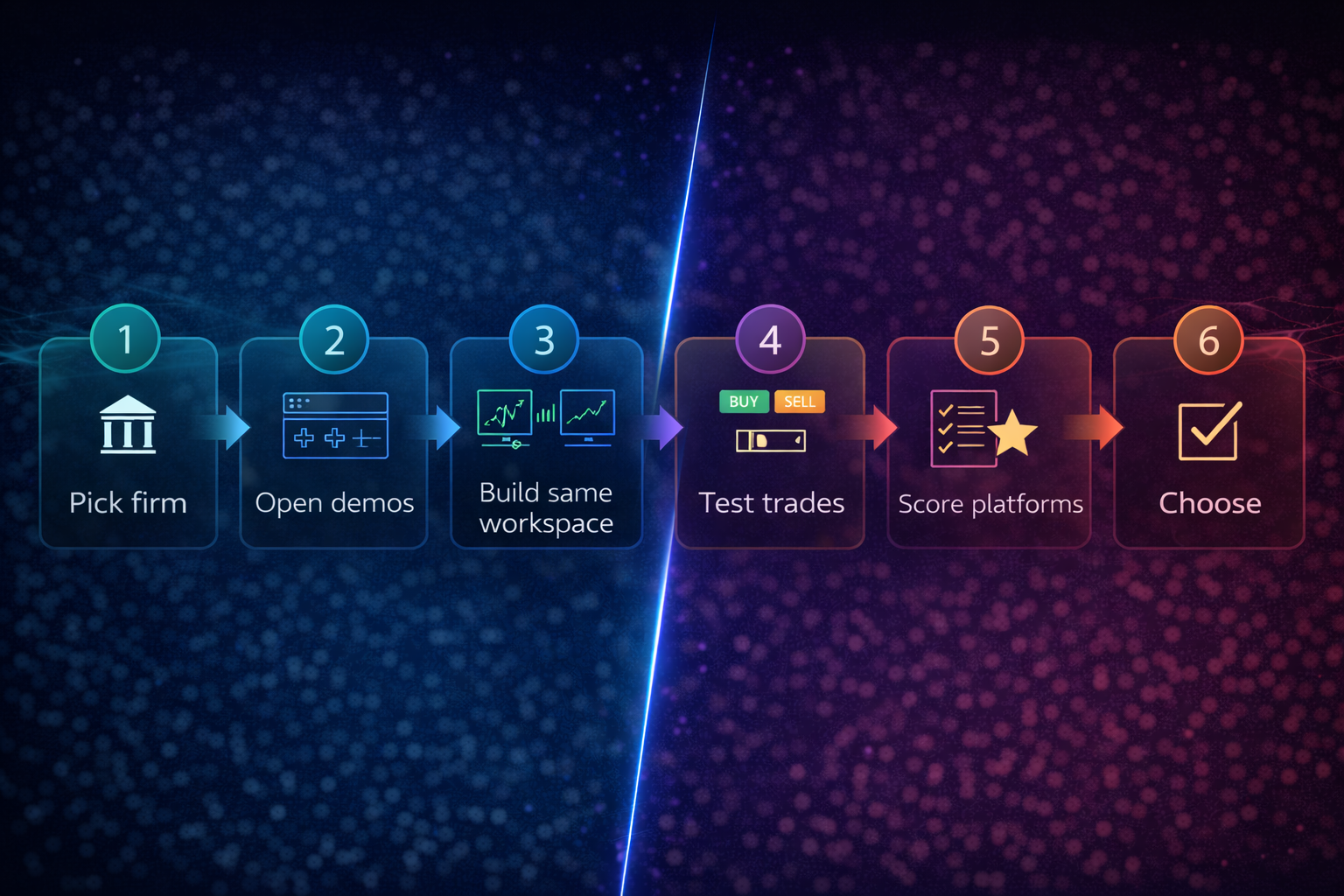
Here’s a simple, practical process to cut through marketing and see what actually works for you.
Step 1: Use the Same Firm
Pick a prop firm or broker that offers both platforms. This way:
-
the rules, spreads, commissions and backend are as similar as possible,
-
the main variable is the platform itself.
Step 2: Open Two Demo Accounts
-
One on Match-Trader
Give them the same:
-
instruments you plan to trade.
Step 3: Build Identical Workspaces
On both platforms, set up:
-
the same symbol (e.g. XAUUSD or EURUSD),
-
the same timeframes (e.g. M5, M15, H1),
-
the same basic indicator set you actually use.
Step 4: Place 3–5 Test Trades on Each
For each test trade, notice:
-
How easy is it to size your position correctly?
-
How obvious is your risk (in money/%) before you click “buy” or “sell”?
-
How quickly can you move SL/TP once the trade is live?
-
How overwhelmed or calm do you feel when price starts moving?
Step 5: Score Each Platform
Give each a score from 1–10 on:
-
UI clarity
-
Ease of risk management
-
Comfort during volatility
-
Mobile experience
Step 6: Decide What Goes Where
-
If you’re a discretionary trader and TradeLocker scores higher on clarity and risk workflow, let that be your main platform – even if Match-Trader wins on “cool features”.
-
If you’re running automation or extremely sensitive scalping, and Match-Trader’s speed and tools obviously help, you can still keep TradeLocker as your “manual trading” home and use Match-Trader for specialised strategies.
Final Verdict
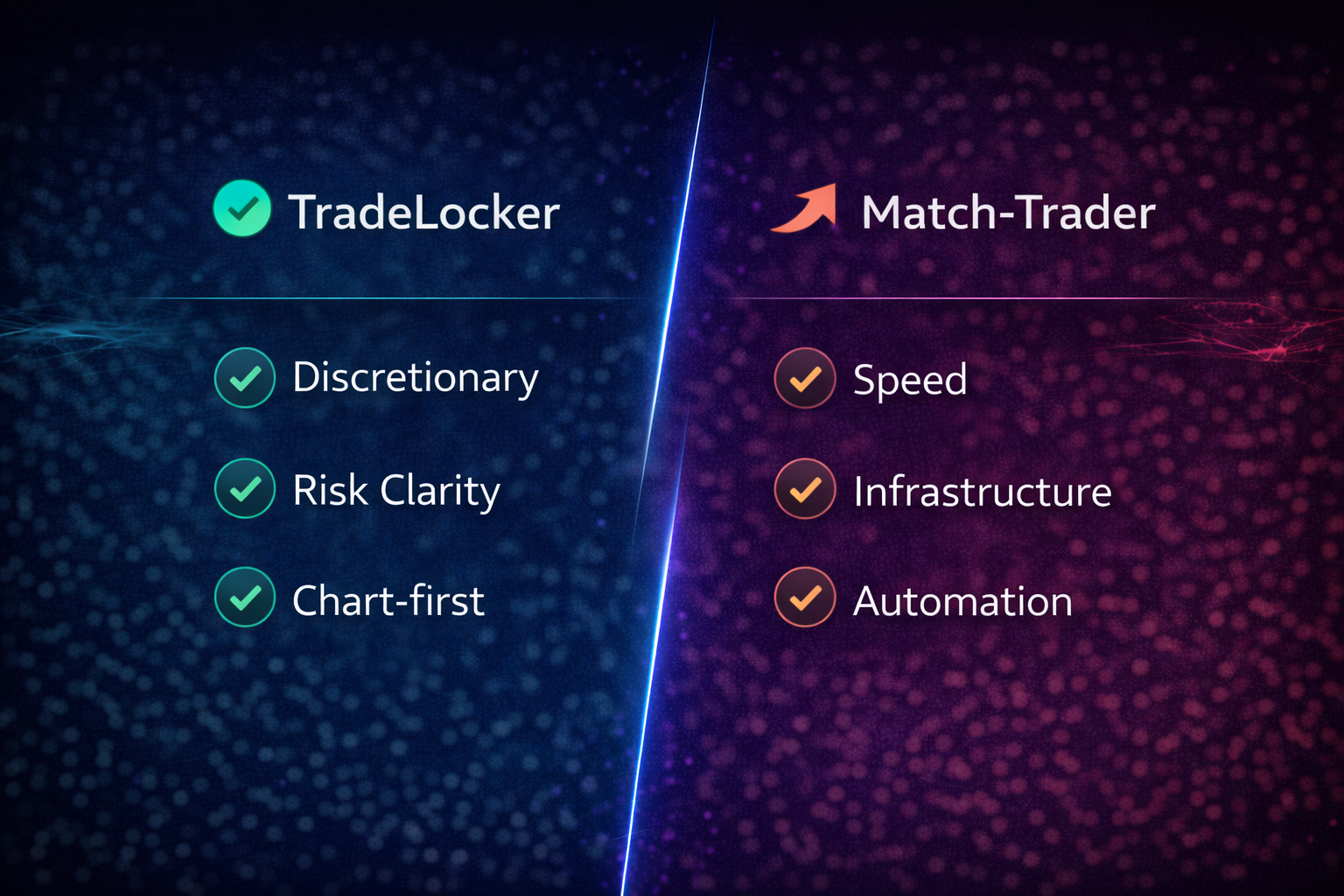
There’s no single “best platform” for everyone.
But there is a best platform for:
-
the way you trade,
-
the firm you run,
-
and the risk profile you care about.
Choose TradeLocker if:
-
you’re a discretionary or prop trader who values clarity over complexity,
-
you want TradingView-style charts built into your platform,
-
you care most about managing risk per trade and avoiding platform mistakes,
-
you’re a firm that wants a modern, trader-loved frontend to stand out from legacy MT-style terminals.
Choose Match-Trader if:
-
you’re heavily focused on speed, throughput and automation,
-
you want integrated social/copy trading and client-area tools,
-
you’re a firm that wants an all-in-one vendor for platform, CRM and client area,
-
you know your traders can handle (and benefit from) a denser, more feature-rich interface.
For many traders and firms, the smartest move isn’t picking just one:
Use TradeLocker as your default for discretionary, rule-driven trading – and deploy Match-Trader where extreme speed and all-in-one infra genuinely matter.
That way, you’re not locked into a single platform worldview. You’re building a platform stack that matches how you trade, how you operate, and what your traders expect in 2026 and beyond.